
Not all CMS are created equal.
An enterprise CMS, is a content management system with advanced feature built to handle the needs large organizations.
Content management solution such as Wordpress or Squarespace show limits when handling large amount of content and intricate workflows.
Enterprise content management systems have integrated workflow, automation and custom entities. These advanced features can handle complex needs and streamline processes.
AI and machine learning-based features in enterprise CMS will bring more efficiency in creating, managing and publishing content.
Below, we’ll cover the key features to look for in an enterprise CMS as well as the best platforms, choosing an enterprise CMS, and trends moving into the future.
How to Choose an Enterprise CMS
Picking the right enterprise CMS couldn’t be more important.
Considering what we’ve discussed so far, especially the challenges in adopting a new CMS, choosing the wrong fit could mean an enormous amount of time and money wasted and lost efficiency.
To help you evaluate your top choices and select the right enterprise CMS for you, review these points:
1. Assess your organization’s needs and goals
Given the massive feature set of the average enterprise CMS, comparing even two different platforms can be an effort.
However, knowing in advance what your organization needs and wants can help hone in on the specific features that matter most to you.
Knowing this, you can more easily remove certain platforms from contention and narrow down your list to the top candidates.
2. Look for key criteria
Now that you have a better idea of what your organization needs, it’s time to cast a wide net and find the platforms that offer those core features and capabilities.
Key criteria you should look for include:
- Usability
- Scalability
- Flexibility / Customizability
- Great customer support (look at user reviews)
- Omnichannel support
- Cross-property reach (can one change apply across every site, store, or location you run)
- Agent governance (can AI act inside your approval, audit, and rollback workflow)
Cost is another, though that hardly needs to be said. However, don’t be fooled.
As we talked about earlier, not all enterprise CMS are created equal. You’ll find a huge diversity of features and number of features (as well as scaling potential) in enterprise CMS.
Likewise, you’ll find a wide range of prices to match that feature and scale diversity.
One last note: see what both development and marketing teams have to say about the tool. Some well known CMS are widely adopted but one or the other finds them a nightmare to use even after the learning curve is over.
A great enterprise CMS should be built with both developers and marketers in mind, providing a great experience to both.
3. Compare vendors and run a market analysis
The rest of the process from here (in terms of selecting a CMS) becomes much easier.
You know what you need and want, you know who has it, now it’s time to narrow that list down by comparison.
You’ll want to make a complete list of comparison criteria using the features and criteria we’ve talked about thus far.
In addition to this, find out how each CMS is investing in new features to help drive growth, such as AI agents and orchestration across properties.
This is also where more unique features come into play, like Core dna’s extensive eCommerce tools, which are purpose-built for large eCommerce brands. This is something many enterprise CMS aren’t built specifically to handle.
Other enterprise CMS platforms have similar features that help them stand out and knowing what these are can help you in choosing an enterprise CMS that would be the most ideal fit. You can refer to our CMS RFP template here.
10 best enterprise CMS platforms of 2026
Now, let’s dive into a full CMS comparison with a comprehensive list of the top enterprise CMS platforms of 2026.
Below, we’ll not only look at an overview of their high-level features but talk a bit about what sets them apart from one another and discuss pricing (when available).
Here are our top 10 picks for the best enterprise CMS platforms of 2026
1. Core dna
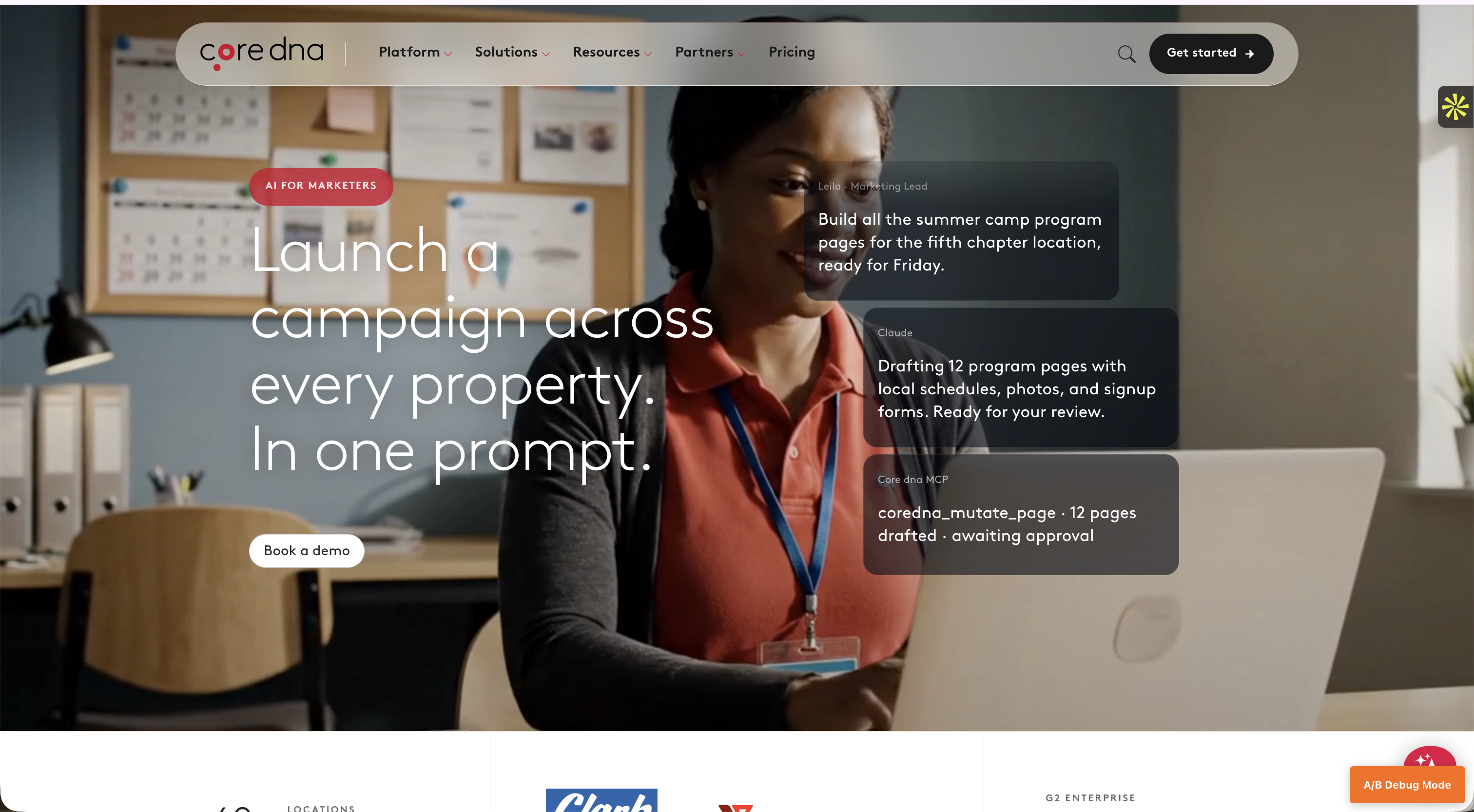
Core dna is a unified platform for operators running many digital properties: multiple sites, stores, brands, locations, or chapters from one place. Content, commerce, and orchestration live in one system, and you operate it by describing the change you want.
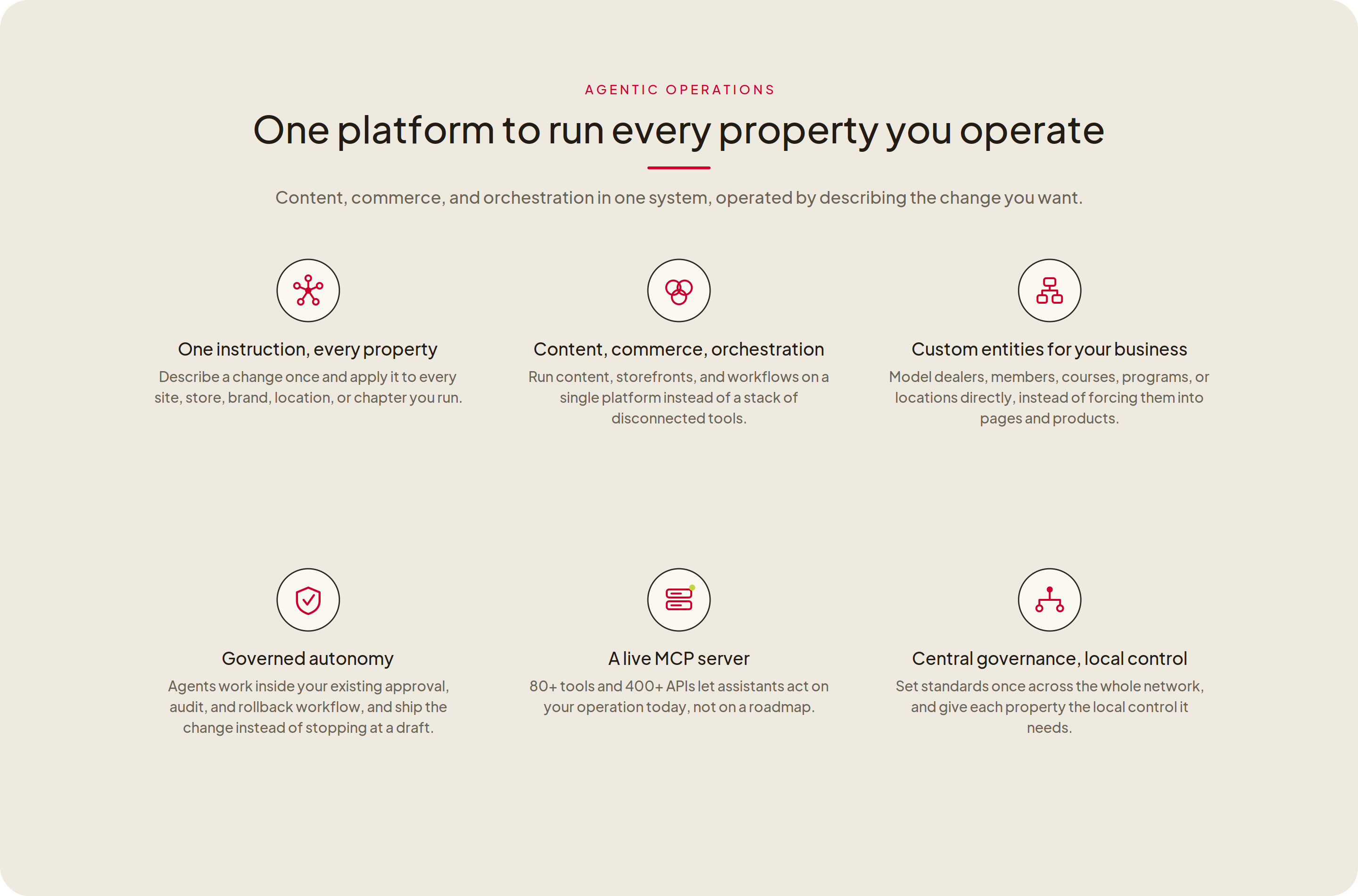
Most platforms on this list now add AI agents that help one person work faster inside one site. Core dna runs the operation itself. You describe a change once and it ships across every property you run, through your own approval workflow. It does this on a live MCP server with 80+ tools and 400+ APIs, working today rather than on a roadmap.
Because the platform models your actual business (dealers, members, courses, locations, not only pages and products) the same agent that updates a campaign can update a price, a product, or a member record across the whole estate.
Platform architecture:
Unified. Hybrid CMS, commerce, and orchestration, operated through agents over MCP.
Core dna key features:
One instruction across every property: ship a change once, apply it to every site, store, brand, location, or chapter
Commerce, content, and orchestration in one platform instead of a stack of separate tools
Custom entities: model dealers, members, courses, programs, or locations directly, instead of forcing them into pages and products
Live MCP server, 80+ tools, 400+ APIs, with agent execution available today
Governed autonomy: agents run inside your existing approval, audit, and rollback workflow
Multi-site hierarchy with central governance and local control
Enterprise-grade security and compliance
Hundreds of native integrations
Plans and pricing
Structured plans scoped to the properties and volume you run, with no per-seat charges, so adding users never changes the price.
SEE IT LIVE
See what running every site from one platform, with updates handled for you, actually looks like.
One instruction across every property, content and commerce on the same platform, and agents that ship through your approvals instead of stopping at a draft.
30 minutes. Bring your evaluation criteria.
2. Sitecore
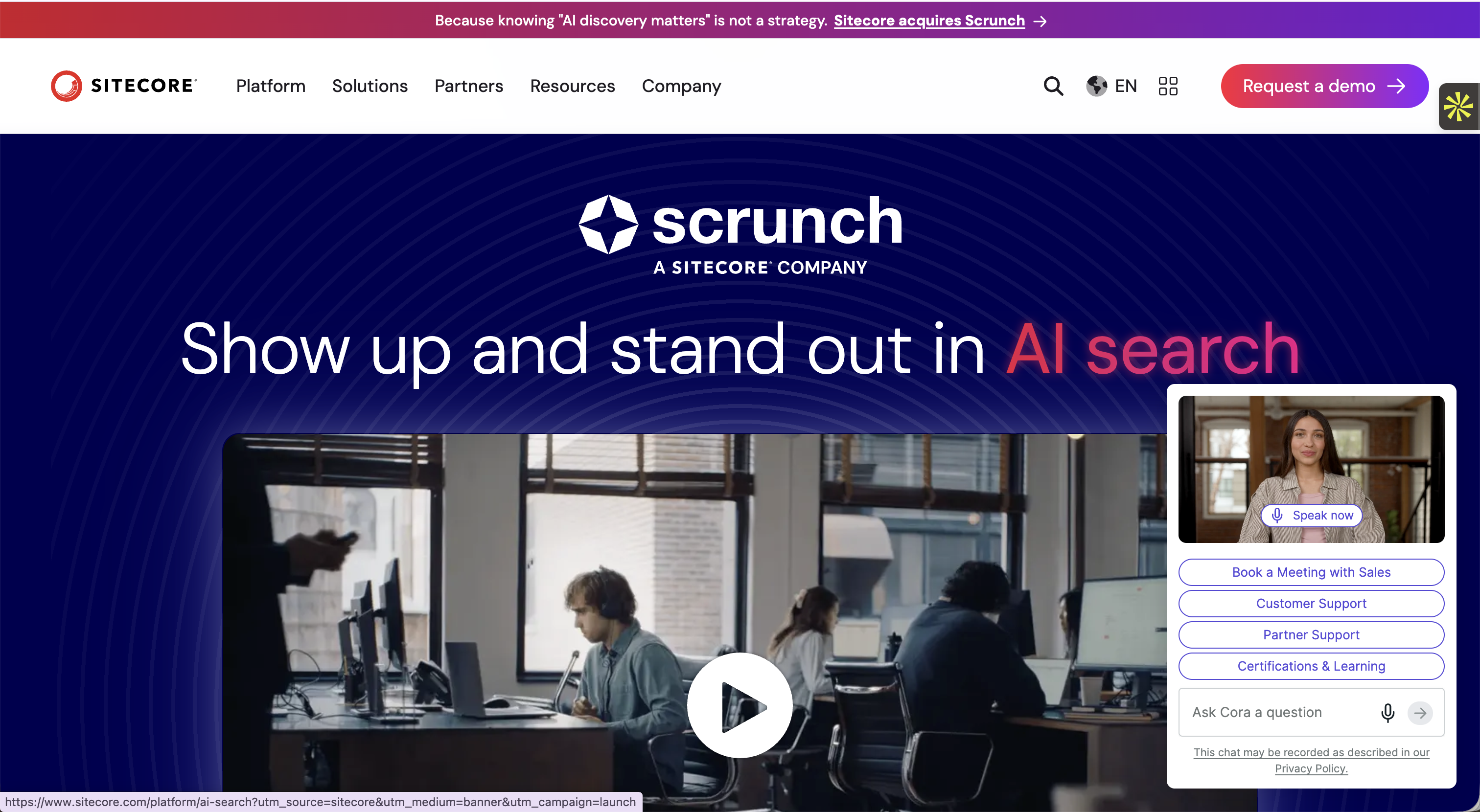 Sitecore is one of the most commonly used enterprise CMS platforms on the market.
The platform is known for having a very steep learning curve and users state that it’s generally frustrating to use.
It requires deep developmental knowledge, but it is robust and offers high scalability, content personalization, and omnichannel capability.
In late 2025 Sitecore retired XM Cloud and rebuilt around SitecoreAI, folding content, personalization, search, and DAM into one system with built-in agents (Agentic Studio) reachable over an MCP and Agent API. The agentic layer is new; the .NET foundation, the specialist skills it takes to run, and the sales-led pricing are not.
Platform Architecture:
Composable SaaS
Sitecore Key Features:
Built-in AI agents (Agentic Studio), MCP and Agent API
Workflows and automations
Omnichannel capability
Content management
A/B testing
Real-time analytics
Plans and Pricing
Sitecore doesn’t list its pricing or plans publicly, so you’ll need to contact their sales team for more information.
3. Drupal
Drupal is another heavy hitter but differs from the aforementioned options in many ways (some bad and some good).
Being a free open source platform, it’s cost-effective but also requires deep developmental knowledge for proper CMS implementation.
However, the sky is the limit in terms of scalability and customization which is really where Drupal shines.
While typically used as a traditional CMS, you can also use Drupal as a headless or hybrid CMS if you have the development power to set it up.
With that said, it’s not an easy task and may be more of a hassle than it’s worth considering other platforms offer similar scalability and customization with a headless or hybrid architecture.
If you’re heavy in development knowledge and like the idea of building something from the ground up with as much customization and flexibility as possible, Drupal may be a good option.
Since this list first published, Drupal has shipped Drupal CMS (its packaged, install-and-go edition, now at 2.0) alongside a Drupal AI initiative, including open-source AI agents that can build content types and fields from a prompt and assist with migrations. You host and control the models yourself, which suits teams that want AI without handing data to a vendor, and it still rewards having development support on hand.
Platform Architecture:
Traditional (but flexible)
Drupal Key Features
Advanced API support
Workflows and automations
Content management
Built-in web services
High scalability
Multisite management
Thousands of plugins
Plans and Pricing
Drupal is a free open source platform. However, keep in mind that certain charges will come into play. The one essential charge is hosting, with many other potential costs such as development depending on your needs.
4. Sanity
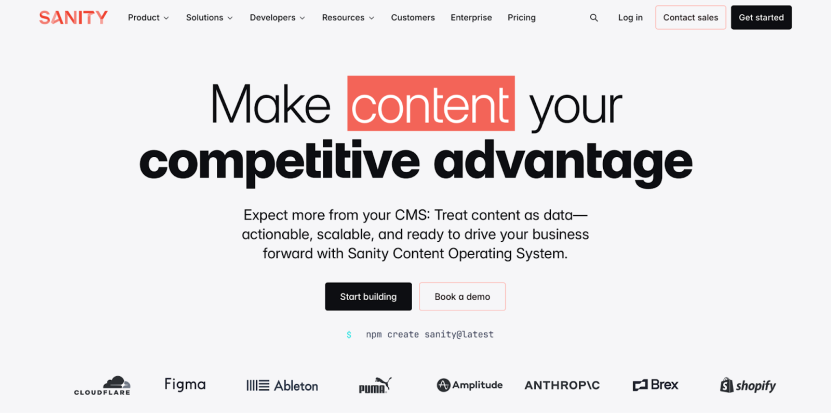
Sanity is an open-source enterprise CMS with some interesting customization options.
Its feature set is more narrow and catered to content management and publishing, but it offers unique features such as structured content templates and real-time collaboration tools.
It also has a unique portable text editor that allows you to create rich text content that can be reused across channels.
In 2026 Sanity repositioned as a content operating system for the AI era, adding Agent Actions and a Content Agent that audit and update thousands of documents against your schema, an MCP server for external agents, and changes staged as drafts for review. It stays content-only, so you still build and host the storefront and front end yourself.
Platform architecture
Headless
Sanity Key Feature
Structured content templates
Customizable content schemas
Real-time collaboration tools
Portable text editor
Flexible data model
Plans and Pricing
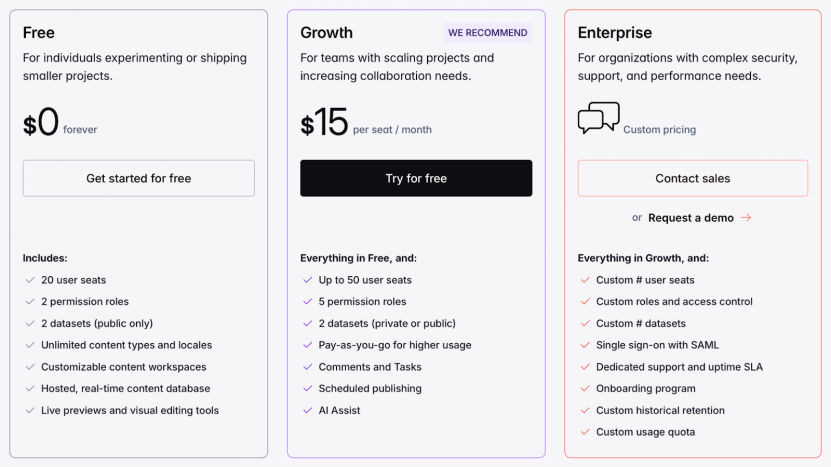
Sanity offers a free (albeit limited) plan for checking out the platform. They charge per seat, per month with their starter Growth plan coming in at $15 per user up to 50 users before having to switch to their higher tier plan.
5. Adobe Experience Manager (AEM)
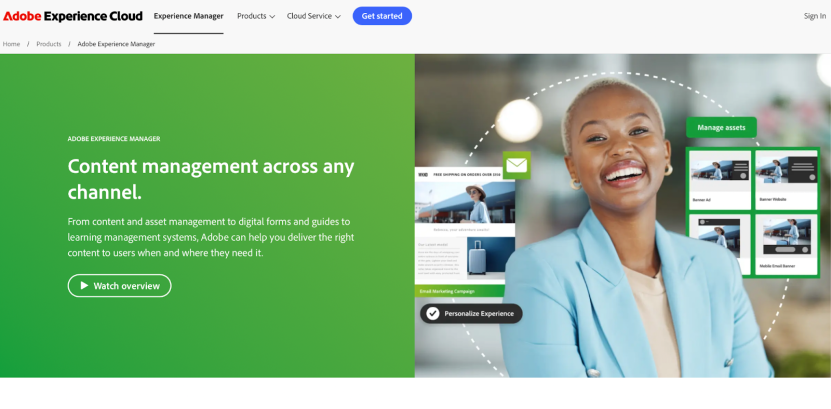
Adobe Experience Manager (or AEM) is Adobe’s premier CMS offering and one of the most commonly used CMS for large organizations.
It’s not a user favorite, with users often remarking on its steep learning curve and low ease of use, but it’s one of the most robust platforms on this list including features such as AI-based personalization tools, omnichannel capability, and marketing automation tools.
It’s also worth noting that AEM isn’t a full headless CMS, so it lacks some of the features you’d expect from one such as multi-channel content delivery.
With that said, it’s a good option if you need something really robust and want to lean heavily into AI or if your organization already uses Adobe products in its content processes which AEM fully integrates with.
Adobe has since added agentic AI to AEM, with a Brand Experience Agent, a Content Advisor, and a Governance Agent reachable through an in-product assistant and over MCP. Access sits behind a separate agreement and usage credits on the Cloud Service edition, and the agents are scoped to content and asset operations rather than running commerce.
Platform architecture
Hybrid
Adobe experience cloud
Content management
AI personalization tools
Omnichannel publishing
Workflows and automation
High customizability
Integrates with Adobe’s full product suite
Plans and Pricing
AEM offers somewhat flexible pricing with various packages available depending on the features that matter most to you.
Having said that, regardless of which you choose, users report that Adobe’s Experience Manager is one of the priciest CMS in the industry.
Adobe doesn’t list AEM’s pricing publicly, so you’ll need to contact their sales team to find out more.
6. Contentful
Contentful, like Sanity, is a headless enterprise CMS that is a bit more streamlined towards content management.
However, it similarly offers unique features that help it stand out such as simultaneous multi-channel content updates and an intuitive interface.
It also has a solid collection of content management and publishing tools such as user roles and access management.
Contentful is now being acquired by Salesforce, which plans to fold it into Agentforce and Data 360 as the content layer of its CRM. If you are not in the Salesforce ecosystem, weigh that direction into a long-term bet.
Platform Architecture:
Headless
Contentful Key Features:
High ease of use
Content management
Workflows and automation
Multi-channel content publishing with its rich text editor
Content tools such as versioning and access management
SEO tools
Plans and Pricing
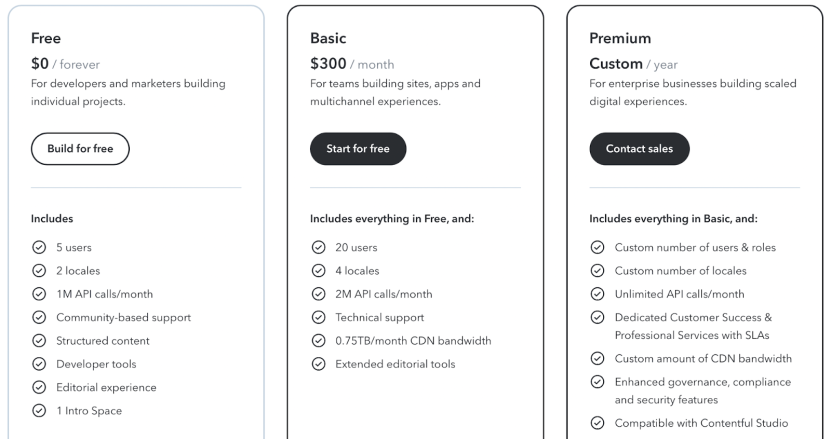
Contentful has a free plan effectively for trying out the platform, with their lowest-tier Basic plan coming in at $300 per month, but it only covers up to 20 users.
The pricing on their true enterprise plan isn’t transparent, so you’ll need to contact their sales team for more information.
7. WordPress VIP
WordPress VIP is Wordpress’s enterprise CMS offering and it takes the WordPress platform to new heights.
While not very well known as an enterprise CMS, it offers competitive features and scalability built on top of WordPress’s open source platform.
VIP boasts good security in addition to a unique “API Mesh” architecture, which uses a single API to integrate data from multiple backends quickly using built-in caching and indexing.
If you’re a WordPress fan, have developers with a lot of WP experience, or simply want a platform backed by a trusted open-source brand, WordPress VIP is worth considering.
Like the wider WordPress ecosystem, VIP is adding AI authoring and agent tooling on top of its plugin and theme model.
Platform Architecture:
Hybrid
Wordpress VIP Key Features:
Unique API Mesh
Enterprise-grade security
Workflows and automation
Content management and publishing tools
Plans and Pricing
WordPress VIP doesn’t list its pricing publicly, so you’ll need to contact their sales team for more information.
8. Contentstack
Contentstack is a great pick if you’re looking for something with a high ease of use, something not often found in enterprise CMS.
The content editor is a bit of a contradiction, however, with users mentioning that it can be clunky and hard to use and the number of features available overwhelming.
Contentstack makes up for this with a focus on speed, which is really where part of its ease of use comes from, being one of the fastest CMS platforms on the market.
In 2026 Contentstack rebranded itself as an agentic experience platform, adding Agent OS (autonomous agents with brand guardrails), a customer data platform, and an MCP layer. The agents act across content and customer data; commerce and back-office operations still live in other systems.
Platform Architecture:
Hybrid
Contentstack Key Features:
- Content management
- Workflows and automation
- Multi-channel publishing
- Rich text editor
- High scalability
- SEO tools
Plans and Pricing
Contentstack doesn’t list its pricing publicly, so you’ll need to contact their sales team to learn more.
9. Umbraco
Umbraco is a free open-source, headless CMS.
Built on Microsoft’s .NET framework, Umbraco makes customization and ease of use its focus, which contrasts with the other open-source platform on this list, Drupal, and its robust feature set.
It’s a great option if your team has high development expertise and you’re willing to get your hands dirty but don’t want something overly complex.
This also offers a great opportunity for customization, allowing you to make things exactly how you want.
Like Drupal, however, being an open-source platform Umbraco requires you to keep up with the platform’s security and maintenance.
Umbraco is adding AI assists for content and search on its .NET base, though it stays a developer-led build rather than an out-of-the-box agentic platform.
Platform Architecture:
Headless
Umbraco Key Features:
High ease of use
Content management
Highly customizable
Tons of integrations
Integration with .NET libraries and tools
Plans and Pricing
Umbraco is a free open source platform. However, like Drupal, know that there are costs associated with building out your platform using Umbraco. Namely, hosting and development costs among other potential costs.
10. HubSpot Content Hub
Content Hub (formerly CMS Hub) is HubSpot’s content management platform built specifically for HubSpot users.
It works closely with HubSpot’s existing tools, making it a good option if you’re already using HubSpot as your CRM.
Users may feel locked into HubSpot’s CRM to make the most of the platform, however.
In addition, while HubSpot’s Content Hub is marketed to enterprise-level clients, it doesn’t quite offer the same scalability as other platforms on this list such as multi-channel delivery.
Despite this, it actually comes in at a higher price compared to other comparable enterprise CMS platforms.
If you’re looking for something a bit less development-heavy with more hand-holding, however, it could be the right fit.
HubSpot has since layered its Breeze agents and assistant across the platform, billed through usage credits and grounded in your HubSpot CRM data, so the AI is at its strongest when HubSpot is already your system of record.
Platform Architecture:
Hybrid
HubSpot Content Hub Key Features:
SEO tools
Integrated marketing tools
Drag-and-drop page builder
Personalized content delivery
Integrated with HubSpot’s suite of sales, marketing, and service tools
Plans and Pricing
HubSpot’s Content Hub is separated into several different hubs based on your needs, which can seem a bit awkward.
Their Content Hub, for example, includes a variety of content formats and organizational elements as well as multisites, serverless functions, activity logging, access options, and more:
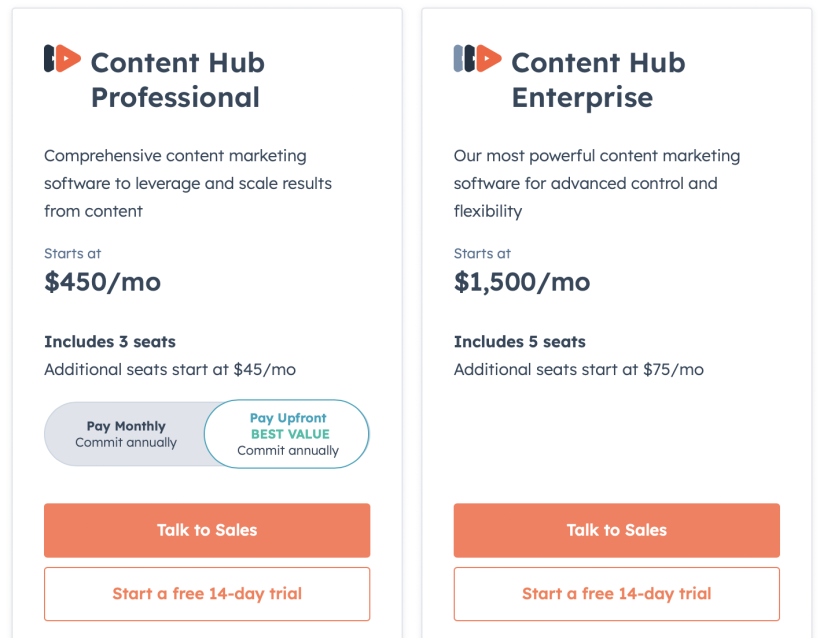
With that said, it comes in at $1,500 per month and lacks many of the features that other hybrid CMS platforms on this list offer.
HubSpot offers a “create a bundle” feature to get multiple “Hubs”, such as marketing, content, and commerce.
However, again this is not only overly complex compared to other enterprise CMS on this list that offer the same or similar features in one package but also quite pricey by comparison.
Use our RFP questionnaire to help choose the right CMS platform
Key Features for Enterprise CMS
On a high level, the purpose of an enterprise CMS is to offer a more robust solution with better scalability and tools for optimizing content management and distribution.
More specifically, enterprise CMS differentiate themselves from typical CMS platforms in a few key ways.
The enterprise CMS features include to look for:
- Scalability (number of users, user access records, large content library, advanced search and organization features)
- Security and compliance
- Omnichannel content management and delivery
- High customization capability
- Dedicated customer support
- Multi-site management
- Agent execution and governance (AI that can act across your content, with approval and audit)
- Cross-property orchestration (one change applied across many sites, stores, or locations)
It’s important to note that every enterprise content management system is a bit different from the next.
What one platform has another may not and while all will have some measure of scalability others may have more.
With that said, we’ll touch on some of the unique features, pros, and cons of various enterprise platforms later when we review the best enterprise CMS platforms.
Case Studies: Successful Enterprise CMS Implementations
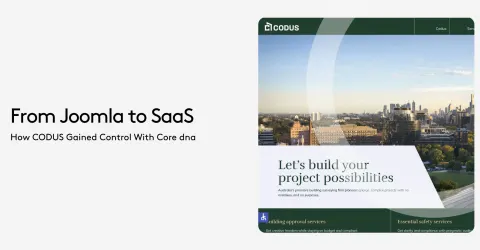
The YMCA of Greater Toronto was operating in a difficult tech environment. The marketing team lead by Saad Javed, created what they called " the Frankenstein solution" building workaround to meet their needs.
The complexity of the infrastructure combined with the limited development knowledge of the team, truly hindered their their ability to provide seamless digital experiences. Most their programs were booked over the phone, demanding extra workforce because the website just did not deliver.
By partnering with Core dna, the YMCA transformed its digital operations, driving a remarkable 500% increase in online registrations.
Core dna’s enterprise CMS gave the YMCA of Greater Toronto's marketing team a platform that delivered big outcomes without the need of technical know-how.
One the instant success was the “Y Guide” class catalog featured in the video above. With features such as advanced filtering, real-time updates, and an intuitive registration process, all members were able to find what they were looking for and register in a few clicks.
Core dna also integrates with the Y's back end system, making sure all the data is updated and classes are notified. Prior to Core dna, classes would get overbooked, creating frustrated parents and extra workload for the marketing team to rectify the issues.
They can now integrate engaging, informative content directly into their program listings and promotional pages, providing value while encouraging users to enroll. The marketing team has taken a content-driven approach which contributed to enhance engagement and boost conversions.
Benefits of Implementing an Enterprise CMS
We touched on the key features of enterprise CMS, now let’s talk a bit about CMS benefits.
Why should you even use an enterprise CMS? What makes them unique and better suited for large brands compared to any old CMS platform?
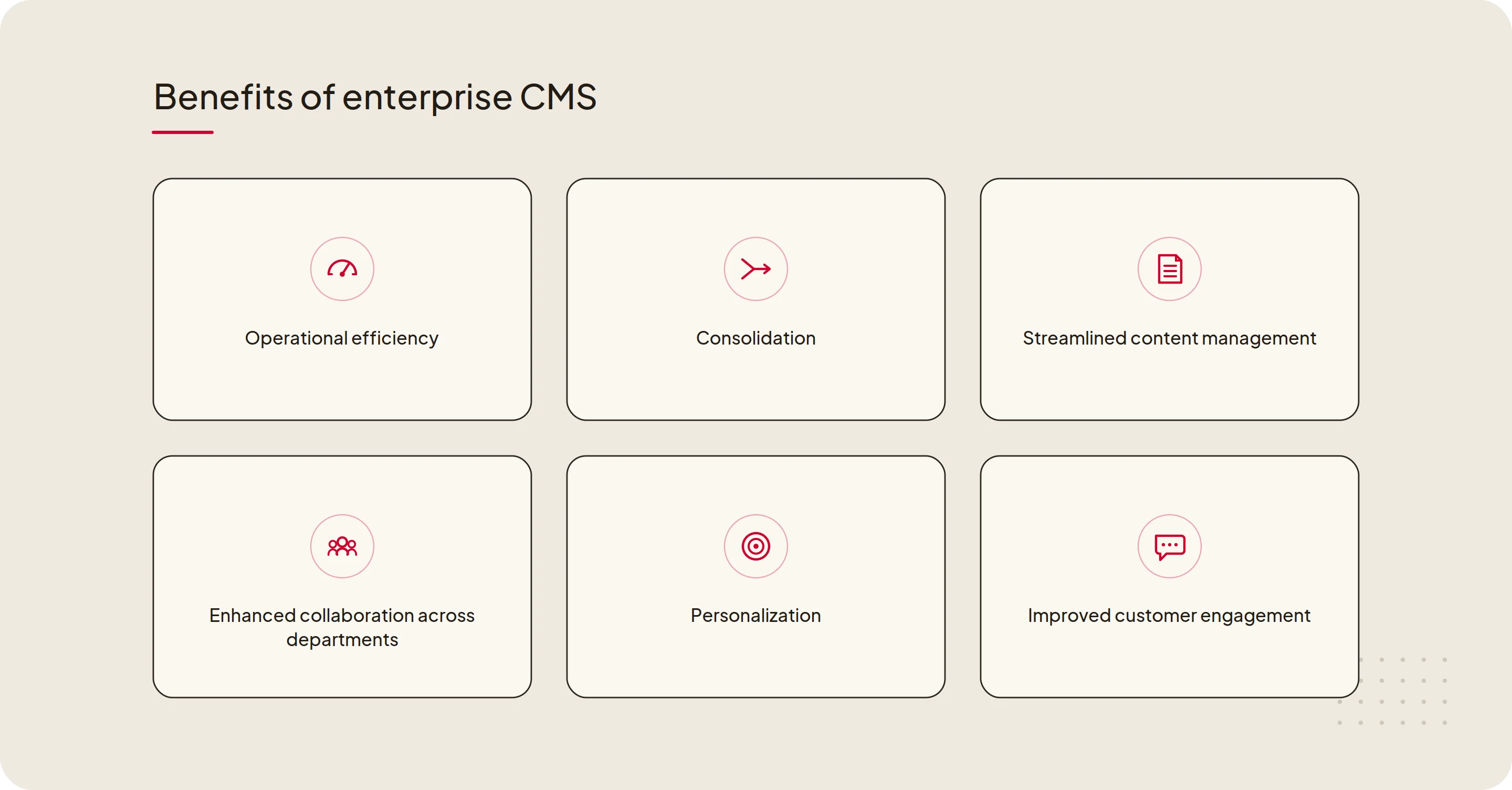
A few of the most significant benefits include:
Streamlined content management
As brands scale, there comes a point where their content management system can become overly complex to the point of causing massive inefficiencies.
This is typically the point where a brand begins looking to switch an enterprise CMS platform. Chances are, if you’re reading this that’s where you’re at now.
An enterprise CMS is built to handle this complexity and can organize the most complex content management processes, often no matter the organizational structure.
Enhanced collaboration across departments
As complexity grows both between and within departments, better collaboration tools are necessary for maintaining efficiency.
This is where an outdated (i.e. not enterprise-level) CMS or patchwork setup can really begin to hurt the organization.
With an enterprise CMS, you get a single centralized platform with access controls, customizable workflows, live editing, and more features that a standard CMS typically doesn’t provide.
Improved customer engagement through personalized content
Content personalization helps provide the experience that users expect in today’s digital world. The result is increased conversion rates and engagement.
An enterprise CMS typically has tools that provide a high level of customization and content personalization.
In addition to this, enterprise platforms are adding new AI features that streamline content management as a whole allowing for more time to be invested in personalization.
Cost savings and operational efficiency
An enterprise CMS can seem like a big investment at first, but when you factor in the improvements in overall efficiency, you’ll likely find that investing in an enterprise platform actually leads to cost savings.
This comes by way of the aforementioned efficiency improvements, which includes things like:
- Streamlined content management and creation
- Better and faster information access
- Omnichannel distribution tools
- Easier collaboration
Agentic features vs agentic operations
Every platform on this list now ships AI agents. That is the new baseline. The question that separates them is what the agents are allowed to do.
An agentic feature helps one person finish one task faster inside one property: draft a headline, tag an asset, rewrite metadata, fix a broken link. Useful, and now everywhere.
Agentic operations is a different thing. You describe an outcome once, for example “apply the summer promo across every location” or “update this compliance line on every member portal,” and the platform executes it across every property you run, then routes it through your approval workflow before anything goes live.
When you compare platforms, four questions tell you which one you are looking at:
Reach. Does one instruction reach every property, or does the agent work one site at a time?
Surface. Does it run your commerce and back office too, or only your content?
Model. Does it understand your real business objects, like dealers, members, courses, and locations, or only pages and posts?
Shipping. Does the agent ship through your existing approvals, or stop at a draft for a human to finish?
This is agentic operations, and it is distinct from agentic commerce, the consumer-side shift where AI assistants shop on a buyer’s behalf. Read more on the difference.
Types of Enterprise CMS Architectures
Before adopting an enterprise CMS platform, it’s important to understand that there are three different types of enterprise architecture.
Each has its own benefits, but as you’ll see in the final model there is a way to get the best of both worlds:
1. Traditional (Monolithic) CMS
A traditional, or “monolithic”, content management system is one in which the front end and the back end of a website are one.
This includes open-source platforms such as Drupal and traditional WordPress.
Traditional CMS platforms are still the most common type of CMS, but the architecture has long since fallen behind the needs of large brands who need something more robust, customizable, and which supports a multi or omnichannel approach.
2. Headless CMS
A headless CMS is a back-end only (AKA decoupled) platform that delivers content via an API.
With a headless CMS, you can seamlessly deliver content to multiple platforms faster and with greater security.
A headless CMS also offers greater control over said content as well as the tools and frameworks that are used in the back end.
If you’re publishing content in multiple channels, headless architecture is key to delivering a consistent user experience across all touchpoints in a way that drives engagement and sales.
This is especially relevant when you consider IoT devices such as smart speakers and smartwatches becoming an increasingly more common part of the overall user experience.
3. Hybrid CMS
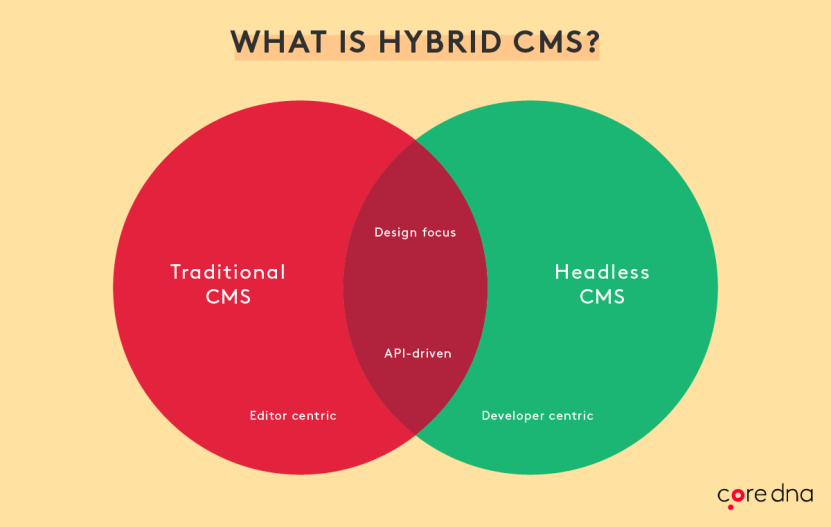
A hybrid CMS like Core dna takes elements from the traditional and headless CMS structure and brings them together.
Specifically, the API-driven headless architecture with the front-end elements of a traditional CMS.
A headless CMS solves several problems with traditional CMS platforms, but it’s not all sunshine and rainbows.
With a headless CMS, you end up losing the user-friendly front-end that marketers (those without technical experience) depend on for creating and publishing content.
This is not only frustrating, on a more tangible level it takes control away from your marketing teams and makes them over-reliant on IT which can cause internal conflicts and ultimately impact the quality of your content.
This also makes your marketing team slower and less agile, without the ability to quickly change when consumer behavior shifts.
Future Trends in Enterprise CMS
The best enterprise CMS of today already looks different from a year ago.
The shifts that used to be framed as the future of enterprise CMS, AI, cloud delivery, and omnichannel, are now the baseline. Here is where the line is actually moving in 2026 and beyond.
From AI features to agentic operations
Through 2025 and 2026 almost every platform on this list added AI agents, most of them reachable over MCP. The question has moved from whether a platform has agents to what those agents are allowed to do: whether one instruction reaches every property you run or only one site, whether the agent touches commerce or only content, and whether it ships through your approval workflow or stops at a draft. We unpack that in agentic operations vs agentic commerce, with real examples in ten multi-property workflows now running on MCP.
Governance becomes the gate
As agents start to act rather than only suggest, the platforms that earn enterprise trust are the ones that wrap autonomy in approval, audit, and rollback. Brand guardrails and a clear record of what an agent changed are moving from nice-to-have to a buying requirement, especially in regulated sectors.
Consolidation over sprawl
Buyers are tired of stitching five to seven tools together. The pull is toward fewer systems that cover content, commerce, and orchestration on one surface, so a lean team can run more properties without adding headcount for every new site, store, or region.
Omnichannel, still
Audiences remain spread across more devices and surfaces than ever, and AI-driven discovery adds another. An effective content strategy still has to reach all of them, which keeps structured, API-first content central to any serious enterprise CMS.
Use the criteria and platform overviews above to choose the enterprise CMS that fits how your organization actually operates.
There is no single best enterprise CMS; the right one depends on what you are running.
If you manage one large site, a traditional or headless platform may be enough. If you run many properties (multiple sites, stores, brands, or locations) on a lean team, look for cross-property reach, unified commerce and content, and AI agents that work inside your approval workflow.
An AI feature helps one person finish a task faster inside one site, like drafting a headline or tagging an image.
Agentic operations go further: you describe an outcome once and the platform carries it out across every property you run, then routes it through your approval, audit, and rollback workflow.
For multi-property operators, the platforms that stand out model many sites, stores, brands, or locations as one estate and let you apply a change across all of them at once, instead of editing each site by hand.
When you compare options, weigh multi-site governance, a unified commerce and content surface, and whether AI agents can act across properties under your approval rules.
Most major enterprise CMS platforms now ship AI agents, and several expose them over MCP so external assistants can act on content.
The useful question in 2026 is no longer whether a platform has agents, but what they are allowed to do: how far across your properties one instruction reaches, whether they touch commerce or only content, and whether they ship through existing approvals.
Summarize with