An eCommerce platform migration is the process of moving your catalogue, customers, orders, content and URLs from one commerce platform to another, together with the integrations and operating model around it.
Depending on complexity it takes three to fourteen months, and platform licensing accounts for only 20 to 40 percent of what you actually spend.
This is the full execution checklist: 47 items across nine phases, written for B2B and B2C operators running real complexity. It covers the standard steps, and the ones underneath them that cause the real damage.
How this checklist is different
The familiar steps are all here. Back up your data, map your URLs, test your checkout. They matter and you should do them.
What we wanted to get right is the layer underneath. These are the things that rarely make it onto a checklist, and that cause the most frustration when they surface after launch rather than before it.
- Gift card and store credit balances. Real money your customers are already holding. If it does not come across, they find out at checkout, publicly.
- Stored payment tokens. If they cannot move between vaults, every saved card and every subscription breaks at the next renewal rather than on launch day, when nobody is watching for it.
- Open B2B quotes and credit balances. This is in-flight commerce. Losing it means calling your largest customers to ask what they had agreed.
- Faceted URLs. Usually the largest class of URLs an enterprise catalogue owns, and the one that never makes it onto the redirect map.
- The rollback plan. The document nobody writes until 2am on cutover night, when someone has to decide whether to revert.
Both layers are covered below. The downloadable workbook adds the stakeholder RACI matrix, a three-year TCO model, a weighted vendor scorecard and a redirect tracker.
What eCommerce platform migration actually means
Three terms get used interchangeably, and the difference matters when you are pricing the work.
- Migration describes moving data, content and URLs from one system to another.
- Replatforming describes the broader programme: the new platform, the integrations, the team workflow and the operating model around it.
- Rehosting is moving the same platform to new infrastructure. It carries none of the data mapping or redirect risk that makes a replatform hard. Do not let anyone price one as the other.
In practice, migration and replatforming are the same project. This checklist treats them as one.
What moves, and what gets rebuilt
The distinction teams discover too late is that a migration is partly a rebuild. Data moves. Configuration does not.
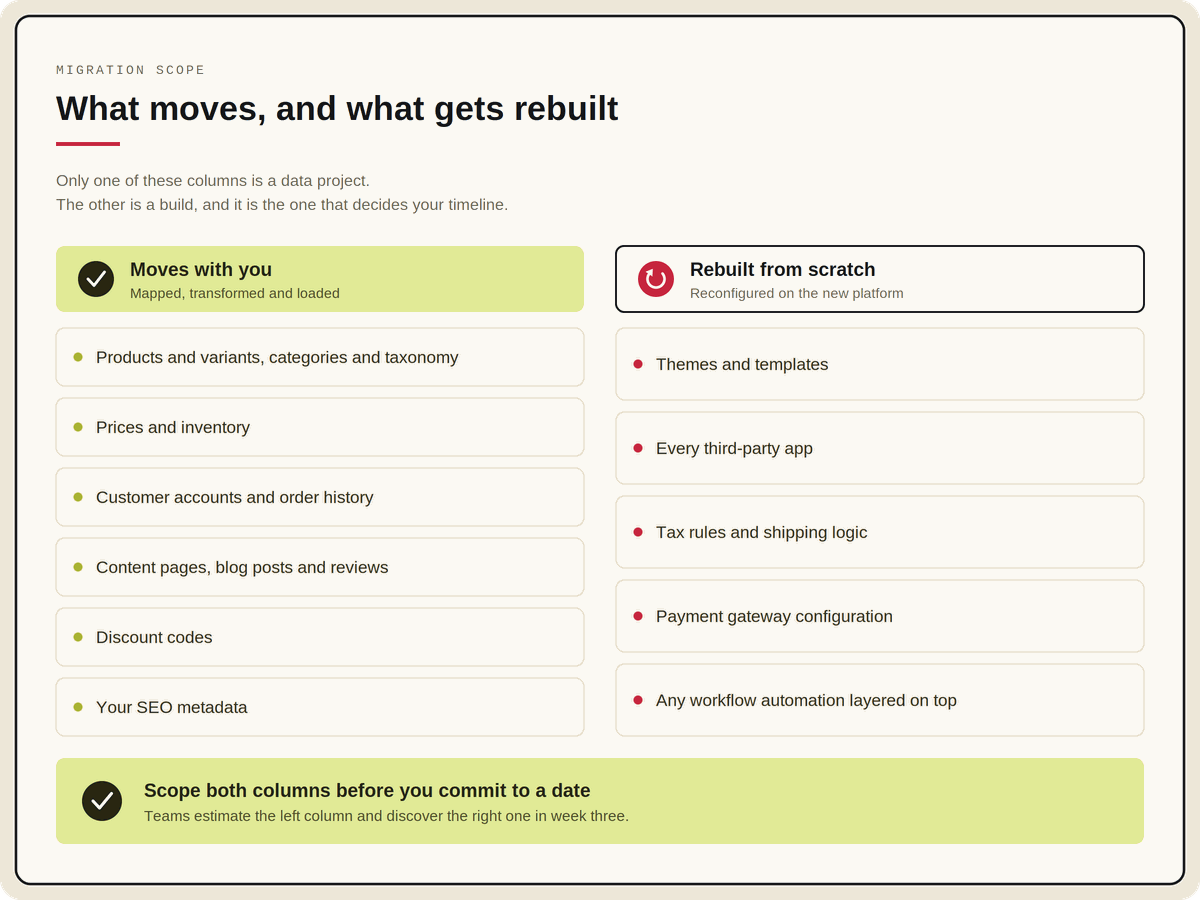
Write that second list down at the start of the project as an explicit register. Teams that skip it do not save time. They discover the same scope in month four, when it costs more.
If the move is partly about collapsing separate CMS and commerce systems into one, that changes the scope again. Our page on CMS and eCommerce platform consolidation covers what that involves.
When to migrate, and when to stay put
Dissatisfaction with a commerce platform is close to universal, which makes it a poor decision signal on its own. Almost every team can list what they dislike about their current stack. That is not the same as having a case to move.
Six signals that justify the cost and risk
- Your roadmap is blocked by the platform, not by capacity. If the things you want to ship are impossible rather than unfunded, that is a platform problem.
- App and plugin subscriptions have become a material line item, and each one is a dependency you cannot patch yourself.
- Launching a new storefront, brand or region takes a full project every time instead of reusing what exists.
- Integration work has become permanent. Every ERP or OMS change turns into a custom build.
- Your B2B requirements have outgrown a B2C platform, and account hierarchies, contract pricing or net terms now live in spreadsheets.
- Compliance is forcing the question. Accessibility obligations or changes to your PCI scope can make the current architecture more expensive to defend than to replace.
The honest counter-case
Do not migrate to fix a problem that is not the platform's.
If your conversion rate is poor because merchandising is under-resourced, a new platform will reproduce the same merchandising with better infrastructure.
If integrations are brittle because nobody owns data governance, the new stack inherits the same ambiguity about which system is the source of truth.
Migrate when the platform is the constraint. Not when it is the easiest thing to blame.
Decide the architecture before you shortlist vendors
This is the decision that constrains everything downstream, and most teams take it backwards by shortlisting vendors first and inferring the architecture from whoever demos best.
Three models dominate. The useful way to compare them is by what each one optimises for and what it asks of your team in return.
Revenue is a weaker predictor of fit than most comparison tables suggest, so treat any figures you see as where a model is commonly found rather than a threshold you have to clear.
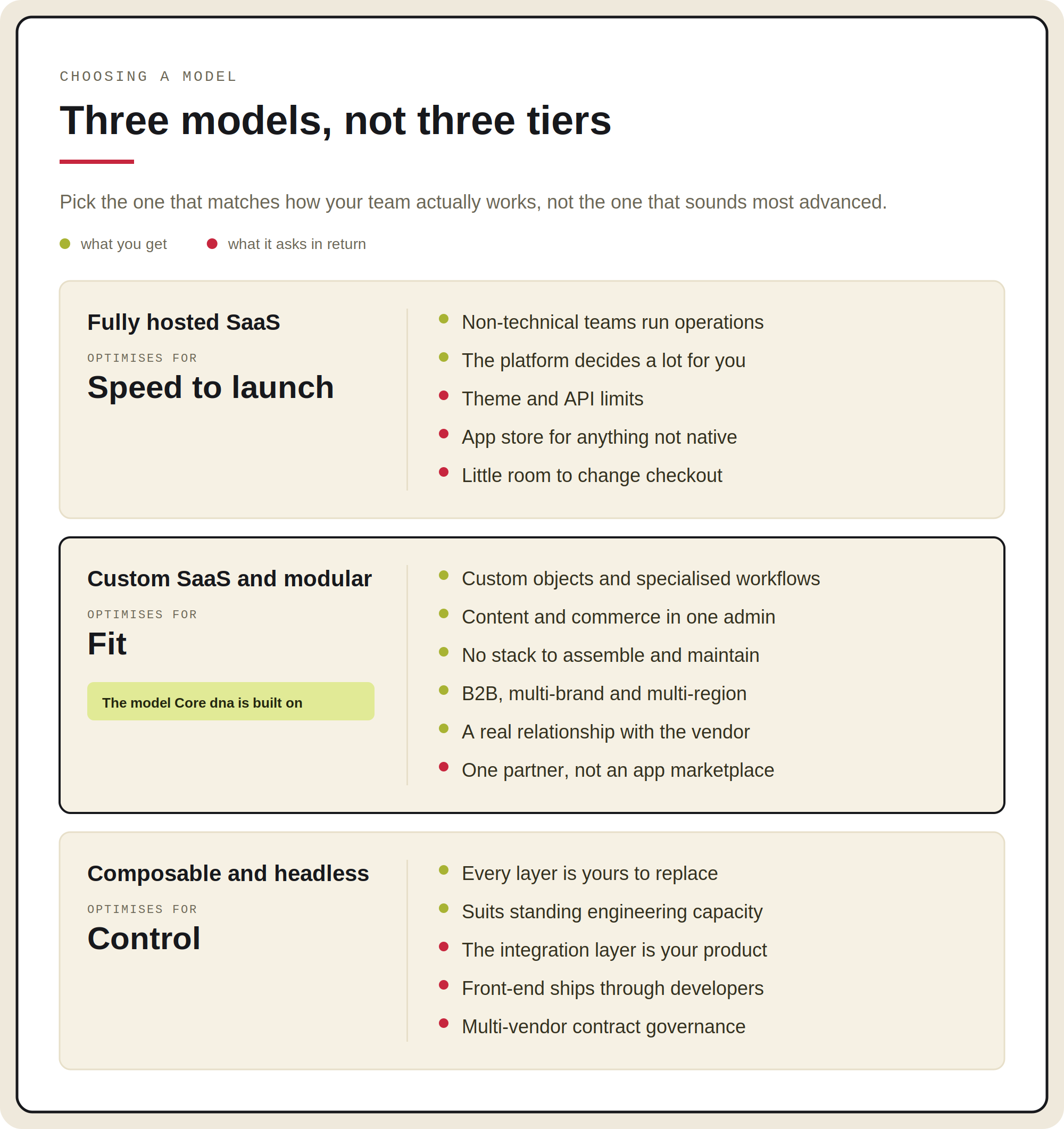
Fully hosted SaaS optimises for speed to launch
Non-technical teams run most operations and the platform makes a lot of decisions on your behalf, which is precisely the appeal.
In return you work within its boundaries: theme and API limits, app-store dependency for capability that is not native, and constraints on how far checkout can be modified.
Custom SaaS and modular optimises for fit
You get custom data objects, specialised workflows, and content and commerce in a single admin, without taking on the engineering overhead of assembling and maintaining a stack yourself.
In practice this model covers the widest range of situations:
- Single storefronts
- B2B with contract pricing and account hierarchies
- Multi-tenant estates running dozens of brands, regions or franchise locations from shared structure
What it asks in return is a working relationship with the vendor, because you are choosing a platform partner rather than a marketplace. This is the model Core dna is built on.
Composable and headless optimises for control
Every layer is yours to choose and replace, which suits organisations with the engineering capacity to treat that as a standing investment rather than a project.
In return the integration layer becomes a product you maintain, front-end changes run through developer pipelines, and you take on multi-vendor contract governance.
None of these is a tier
A composable stack is not a more advanced version of hosted SaaS, and a modular platform is not a halfway compromise between the two. Pick the one that matches how your team actually works, not the one that sounds most advanced.
Three questions that decide it
- Who needs to ship a change on a Friday afternoon? If the answer is a marketer, autonomy matters more than customisation depth. If it is an engineer, the reverse holds.
- How many storefronts will exist in three years? One storefront makes almost any model workable. A dozen makes per-storefront licensing and per-site rebuild cost a significant line in your model, so ask how each platform prices and provisions the second, fifth and tenth site.
- Will your checkout embed the payment form on your own page, or redirect off-site? That choice changes your PCI obligations as well as your conversion rate, covered further down.
For a deeper comparison of the enterprise field, see our guide to choosing an enterprise eCommerce platform. If you have already settled on the composable direction, migrating to composable commerce covers that path specifically.
Decide who is actually going to do the work
Platform choice gets all the attention. The delivery model decides how the project actually goes, and it is settled in the same weeks as the shortlist.
The usual arrangement has three parties. A platform vendor who sells the licence, an implementation agency who builds it, and your team who has to run it afterwards. Each holds part of the answer. None of them owns the outcome.
That is where the gap between what was sold and what gets delivered opens up. The demo showed a capability. The agency scoped it from a statement of work. The two are reconciled for the first time in UAT, and by then the change is a variation order.
Four questions to ask before you sign anything
- Who owns data migration, SEO and QA? Name a person for each, not a company. Those three fall between parties more often than anything else.
- Who answers when the platform behaves differently from the demo? If the path runs from your agency into a vendor support queue, add time to every estimate that depends on it.
- Has the team building your store built on this platform before? Ask to speak to that client. Platform experience and agency reputation are different things.
- What happens after go-live? The agency usually leaves. The platform stays. Work out now where the knowledge lives in month seven.
How we are set up
Core dna builds the platform and does the implementation. There is no agency in the middle, and no handoff between the people who know how the product works and the people configuring it for your business. When something needs to behave differently, the team changing it is the team that wrote it.
It also means a single accountable party. We are not in a position to tell you a requirement was out of scope, or that the platform does not do that, because both of those answers would be ours. Our services page covers how implementation works, and the platform page covers what you would be building on.
The nine phases of an eCommerce platform migration
The full 47 items sit in the downloadable workbook, with owners, priorities and status tracking. Work the phases in order. Each one produces the input the next one needs.
- Strategy and governance. TCO, architecture, RACI, legacy debt audit, contingency, cutover approach.
- Functional requirements, B2B and B2C. Catalogue structure, account hierarchies, RFQ and punchout, internationalisation, checkout, multi-storefront governance.
- Systems ecosystem. Middleware, ERP, OMS and WMS, CRM, PIM reconciliation.
- Data migration. Products, customers, orders and SEO metadata, plus the financial and B2B state most plans omit.
- SEO preservation. URL inventory, benchmark, redirect mapping, facets, hreflang, staging safeguards, validation.
- Compliance and security. PCI scope, accessibility, privacy.
- AI and agent readiness. Guardrails, scoped access, structured product data.
- Testing and go-live. UAT, load testing, rollback, cutover.
- Post-launch. Monitoring, the thirty-day watch, internal enablement.
Phase 1: Strategy and governance
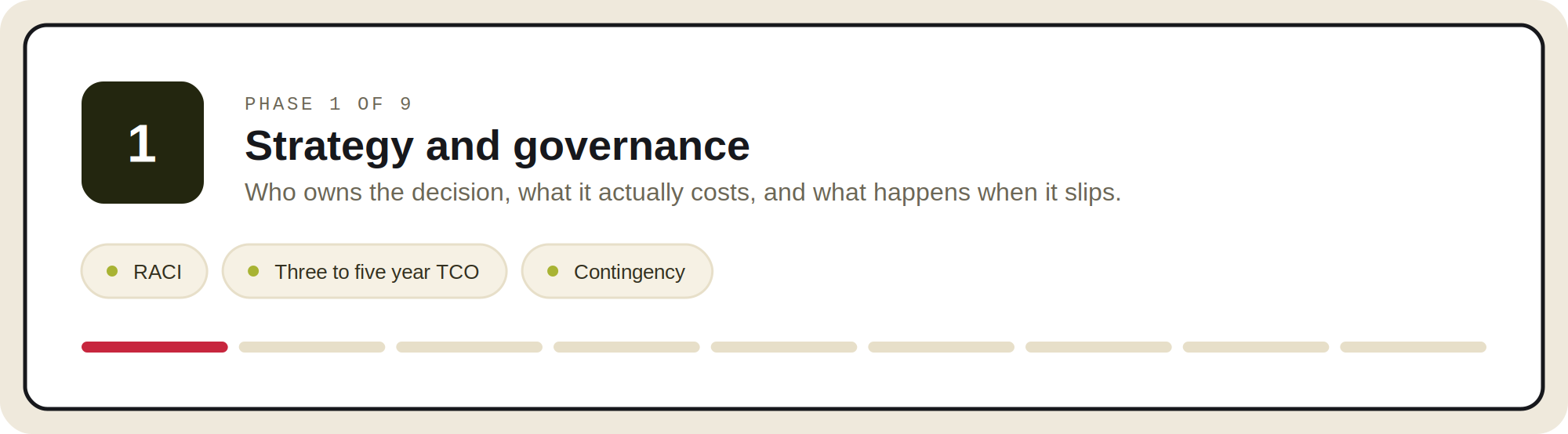 Define real total cost of ownership
Include three to five years of licensing, build fees, third-party apps, the integration layer, ongoing maintenance and internal staffing. The TCO tab in the workbook models all nine lines across the three archetypes.
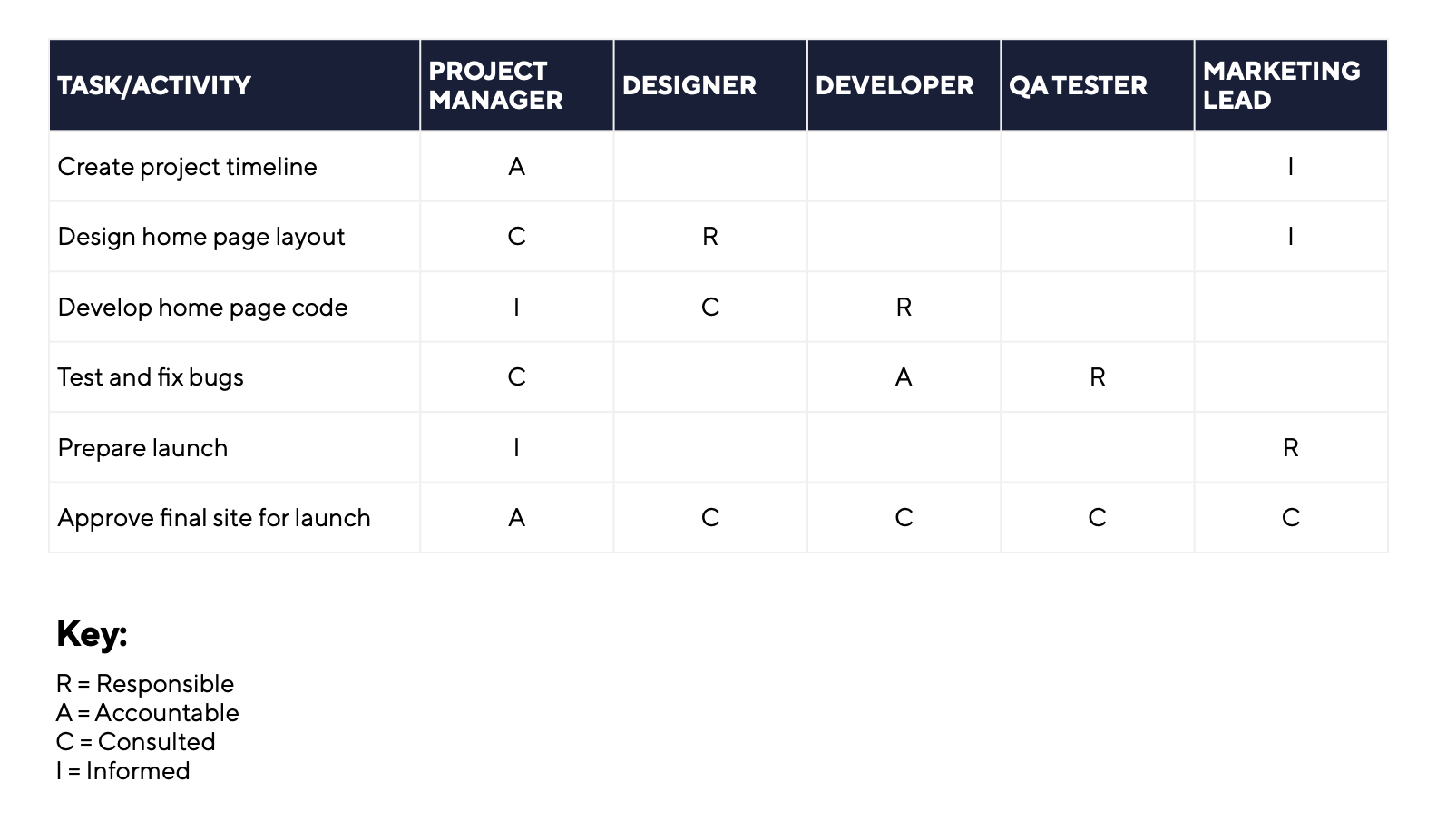
Establish a RACI matrix with one accountable name per milestone
Not two. When two people hold final say on the same decision, that decision does not get made, and no amount of engineering capacity compensates.
The rows teams most often leave blank are financial-state migration, multi-brand rollout order and rollback authority.
Audit legacy debt and categorise every workaround
Replicate, refactor or retire. Migrating workarounds forward faithfully rebuilds the problem you paid to escape.
This audit is also the cheapest scope reduction available to you, because a meaningful share of what the old platform does is no longer used by anyone.
Budget more contingency than feels reasonable
Ten percent is the convention, and it is too low. Across 5,392 IT projects, the average overrun was 1.8 times the estimate, and the bad cases were far worse than the average suggests.
That research was published in 2022 and covers projects finished between 2002 and 2014, so use it for the shape of the risk rather than for pricing. The point holds: plan for the overrun you would rather not think about.
Decide phased versus big-bang cutover, in writing
Phasing by brand, region or catalogue segment reduces blast radius where order volume allows it. Big-bang is faster and occasionally correct.
What you cannot afford is making this call in month six based on schedule anxiety.
Phases 2 and 3: Functional requirements and the systems ecosystem
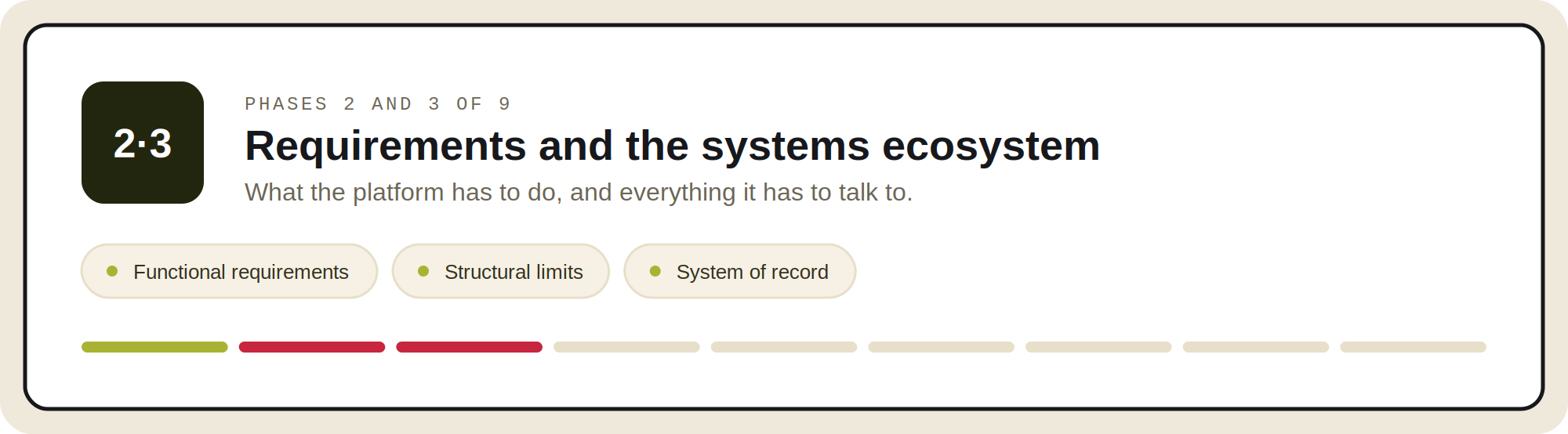
Test functional requirements against your actual data, not the vendor's demo catalogue. A platform that handles 500 SKUs elegantly can behave differently at 200,000 with deep variant matrices.
If you have not written your requirements down yet, start with our eCommerce website requirements checklist, which covers the functional and non-functional list in full. This phase assumes you have that in hand and are testing it against candidate platforms.
Check the structural limits, not just the feature list
Feature lists tell you a platform supports categories, variants and attributes. They rarely tell you how many. Test your real catalogue shape against every platform before it reaches the shortlist:
- Category nesting depth, and what happens to the levels below the ceiling
- Variants per product, and options per variant
- Attributes per product, and whether attribute sets can differ by product type
- Products per category, and how listing and filtering behave at that volume
Discovering one of these limits after selection means restructuring your taxonomy to fit the platform. That is a merchandising and SEO project, it lands in the middle of the build, and nobody budgets for it.
B2B requirements, where generic checklists stop
If you sell B2B, these are the requirements that decide the platform, and they are absent from almost every public migration checklist:
- Corporate account hierarchy. Parent and child accounts, cost centres, custom price books, net terms, and per-seat purchasing permissions with approval thresholds.
- Quick order, RFQ and punchout. CSV cart upload, matrix ordering, reorder lists, Request for Quote workflows, and punchout catalogue mappings via cXML or OCI where your buyers require them. Punchout in particular is either supported or it is a six-figure custom project.
- Contract pricing with effective dates. Not just a price list, but the ability to schedule and audit changes to it.
Our guide to B2B commerce platform features goes deeper on evaluating these, B2B eCommerce replatforming covers the B2B-specific project view, and Core dna B2B Commerce shows how these requirements are handled natively rather than as add-ons.
Decide your integration pattern deliberately
Point-to-point, webhooks, or a managed integration platform. Whichever you choose, the integration layer is a product you will maintain for years, so budget it as one rather than as a one-off build.
Our integrations page lists what connects natively, which is the question to ask every vendor on your shortlist.
Define the system of record per object, in writing
Which system owns price. Which owns inventory. Which owns the customer record. Ambiguity here is the root cause of most post-launch data disputes.
Reconcile PIM and ERP attribute schemas before load
Not after. Mismatched attribute sets do not fail loudly. They surface as silent data loss that someone notices in week three.
Phase 4: Data migration, and the five objects everyone forgets
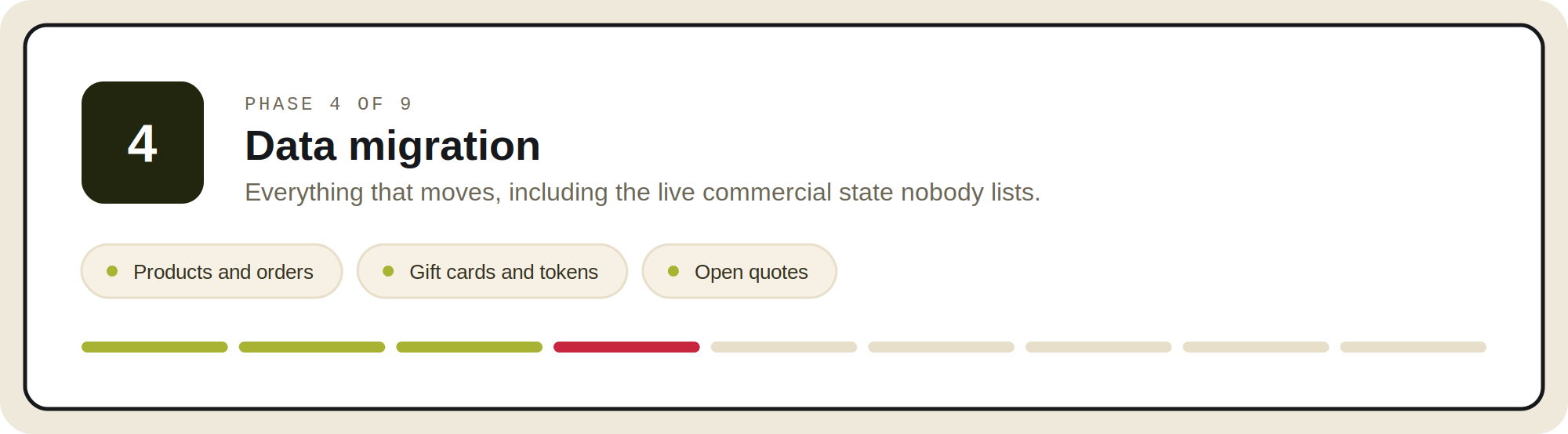 The standard scope is well covered:
- Product data transformation
- Customer accounts, with a forced password reset or SSO plan
- Two to three years of order history for service and tax purposes
- A full export of titles, meta descriptions, H1s, alt text and structured data
Run a subset trial load and reconcile record counts before the full load. Then scan the migration logs for skipped and failed records, because a load that reports success can still have dropped rows.
The five that protect customer trust
Get these right and you remove most of the post-launch surprises your customers would otherwise find before you do. Each one is live commercial state rather than reference data, which is why a standard data map tends to miss them.
- Gift card and store credit balances. These are a live financial liability, not reference data. Reconcile them to the penny with Finance and verify redemption works on day one. Customers discover this failure at checkout, publicly.
- Stored payment tokens. Tokens are scoped to your payment vendor. Confirm whether your processor supports vault-to-vault transfer. If it does not, every saved card and every subscription needs a re-entry plan, and subscriptions will otherwise fail silently at the next renewal cycle rather than at launch.
- Live B2B commercial state. Open quotes, credit balances, approval chain configuration and contract price effective dates. This is in-flight commerce, and losing it means calling your largest customers to ask what they had agreed.
- PII retention and consent records. Apply your retention policy during migration rather than copying everything forward, which is the one moment when deleting data is easy. Carry consent records, not just contact records.
- The does-not-migrate register. Themes, apps, tax rules, shipping logic and gateway configuration. Scoped deliberately, or discovered expensively.
Phase 5: SEO preservation, the phase that decides your first quarter
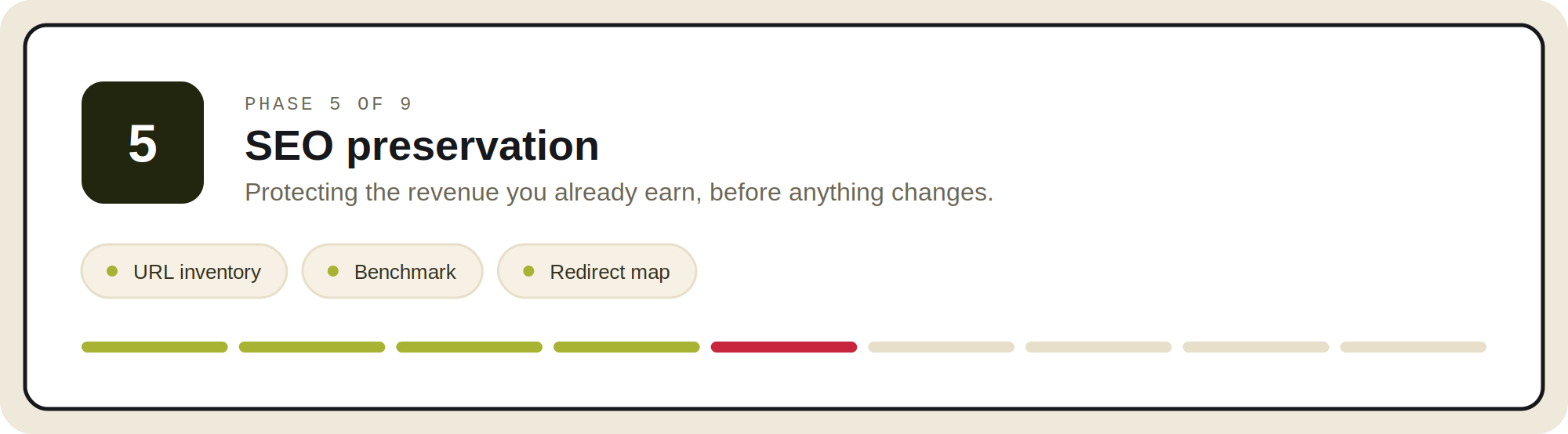 Get this phase right and the revenue you already earn is still there in month two. Get it wrong and you spend a quarter rebuilding traffic you had before you started.
It is also where the least reliable numbers circulate. You will find a widely repeated claim that poor migration execution causes a 30 percent organic traffic decline. We looked for the study behind it and could not find one, so we have left it out, along with several other popular figures in this category. Everything cited here has a primary source.
The anchor worth using is Google's own site move guidance. Google states that you should expect ranking fluctuation during a site move while it recrawls and reindexes, and that for medium-sized sites it can take a few weeks or more for new URLs to replace old ones in results, longer for large sites.
Eight items, in order
- Crawl and inventory every URL. Products, categories, facets, content and assets. This is the input to everything else in the phase.
- Benchmark before you move. Snapshot rankings, organic sessions, revenue by landing page and Search Console coverage. This single step is what turns a tense post-launch month into a measurable one, because you can tell normal recovery from real damage instead of arguing about it.
- Map 301 redirects one to one. Prioritise by organic sessions and referring domains. Never bulk-redirect a catalogue to the homepage, which discards the specific relevance signal each URL had earned.
- Decide your faceted and paginated URL strategy. At enterprise catalogue size this is the largest class of URLs you own, and it is the one nobody maps. Decide which filter combinations stay indexable on the new platform before the redirect map is written.
- Rebuild hreflang clusters, and confirm each locale resolves to its correct regional equivalent rather than falling back to a default.
- Lock down staging. Password protection plus noindex and nofollow. A staging site indexed alongside production competes with you for your own terms.
- Rebuild the internal link graph to final URLs. Relying on redirects for internal navigation creates chains that dilute exactly what you set out to preserve.
- Validate after cutover, then hold. Re-crawl immediately for chains, loops and 404s, and resubmit sitemaps in Search Console. Keep the redirects in place at least twelve months, which is Google's stated guidance, because that is how long signal transfer and third-party link reassignment take.
The workbook includes a redirect tracker that prioritises URLs automatically from sessions and referring domains, so the highest-value pages get mapped and verified first.
Phase 6: Compliance, and the PCI change most teams missed
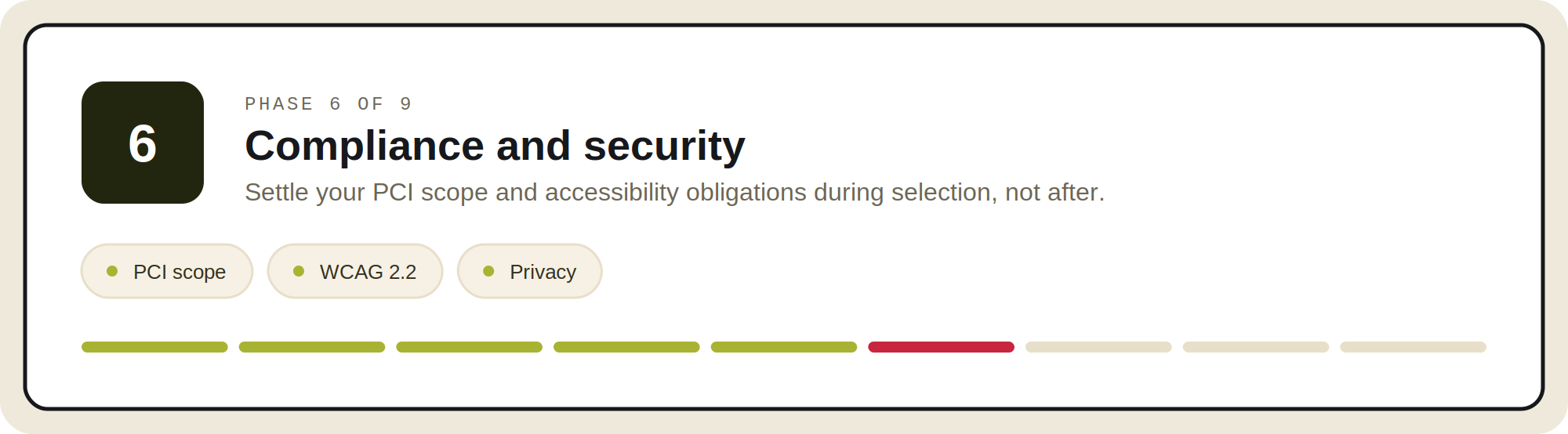
Ask one question about checkout, early
Ask each vendor whether their standard checkout embeds the payment form on your own page or redirects the shopper off-site, and get the answer in writing during the RFP.
It changes how much PCI work lands on your team, and it will not show up in any licence comparison. Then bring in whoever owns PCI at your company and confirm your SAQ level with your acquirer, which is what the Council itself advises.
What changed, and why it runs backwards
PCI DSS v4.0.1 took effect on 1 April 2025, and FAQ 1588 clarified who a new SAQ A eligibility criterion applies to. The criterion asks a merchant to confirm that its site is not susceptible to script-based attacks.
- It applies to merchants who embed the processor's payment page or form on their own page, for example in an iframe. They meet it either by implementing PCI DSS Requirements 6.4.3 and 11.6.1, or by holding written assurance from a compliant processor.
- It does not apply to merchants who redirect the shopper off-site to the processor, or who fully outsource payment.
So the trade-off runs opposite to what teams tend to assume. The embedded checkout, usually the better choice for conversion, is the one carrying the extra security obligation. The redirect, usually worse for conversion, is exempt from it.
Accessibility
WCAG 2.2 Level AA across templates, forms and checkout. Test with assistive technology rather than only an automated scanner, which typically catches a minority of real barriers.
Privacy tooling that works end to end
Consent management, retention rules, and customer deletion APIs that actually propagate to integrated systems. A deletion request that clears the commerce database and leaves the CRM untouched is not a completed deletion.
Platform-level controls matter here, which is why infrastructure and compliance posture belongs in the evaluation rather than in a later security review.
Phase 7: AI and agent readiness
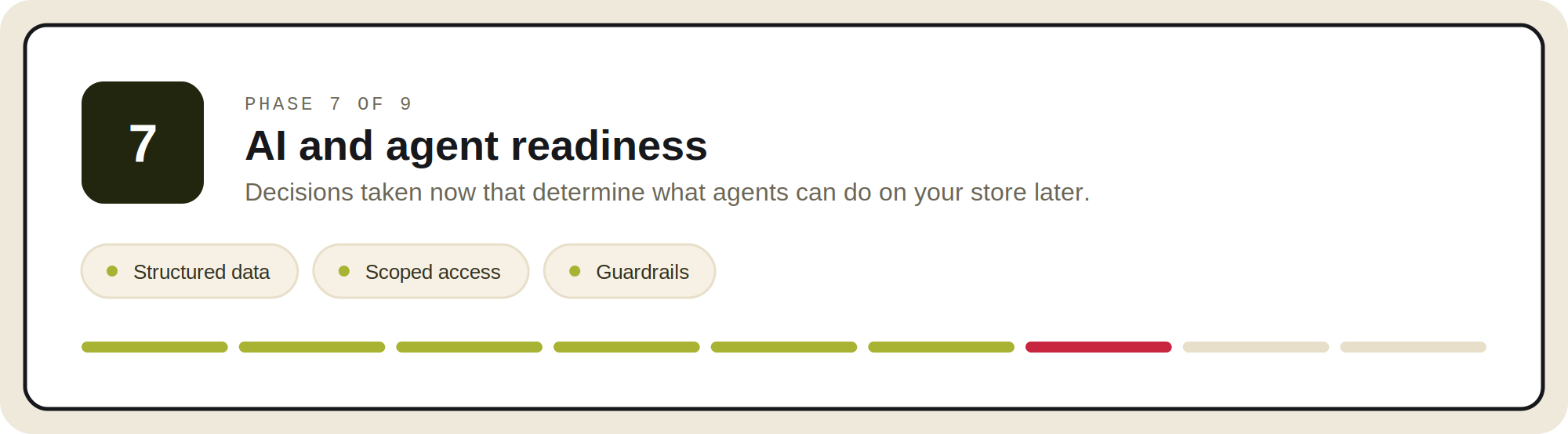
You are choosing a platform you will run for the next five years. Whatever AI agents end up doing for commerce in that window, the decisions that make it possible get made now, during selection, and they are expensive to retrofit later.
Three questions to put to every vendor.
Can you let AI change prices without it going wrong
Refunds, price changes and stock adjustments need to run through the same approval rules a person would face, not through a model's judgement about whether the change looks sensible.
Ask how an AI-made price change gets approved. If the answer is that the model is instructed to be careful, that is not a control. Approval and governance has to sit in the platform, not in the agent.
Can you tell which AI tool made a change
Every AI tool with write access should have its own login that you can switch off, and every change it makes should appear in your audit log under its name.
If you cannot answer who or what changed a price last Tuesday, you will not pass the audit that asks. Core dna handles this through a native MCP layer, so agents work under real permissions rather than by driving the admin screen.
Can AI shopping agents find and buy your products
That comes down to data quality and feed completeness, not a feature you switch on. Google's product structured data documentation is the baseline.
It is unglamorous catalogue hygiene, and far easier to do while you are already rebuilding than to retrofit afterwards. Agentic workflows shows what it looks like running.
Phase 8: Testing, rollback and go-live
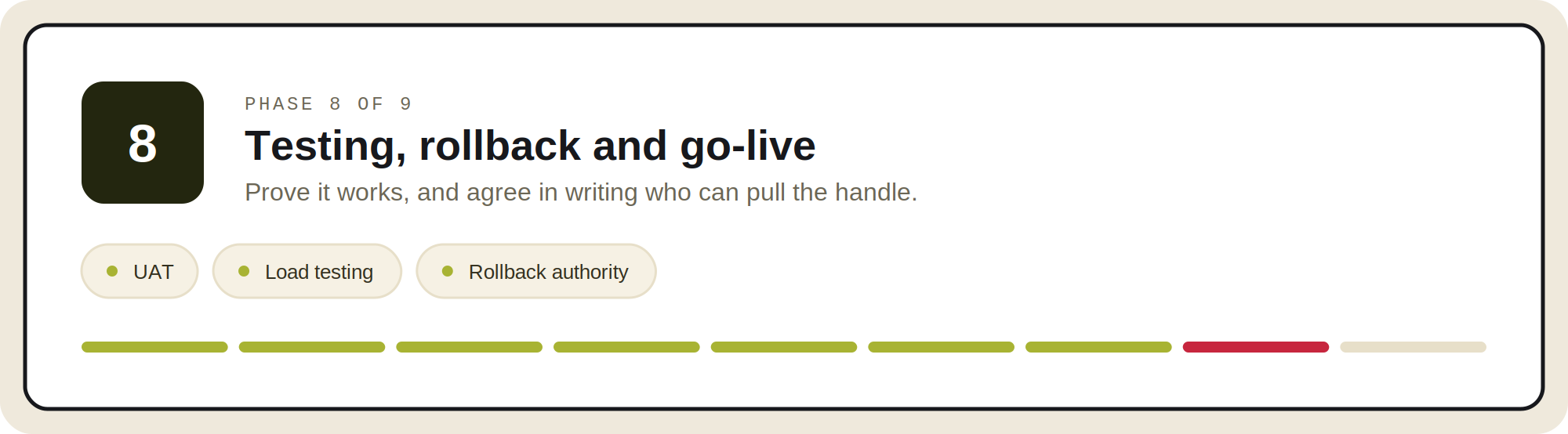
Test end to end, across every payment method
Complex discount stacking, tax edge cases, partial refunds, and B2B approval flows.
Get explicit sign-off from marketing, ops, customer service and finance, not just QA. Each of those teams knows a workflow that nobody documented.
Load test at two to five times peak traffic
Test the integration layer under load rather than only the storefront. The storefront rarely fails first. The ERP sync queue does.
Write the rollback plan and name who can trigger it
This is the cheapest insurance in the project and the most commonly skipped.
Define your go and no-go thresholds before cutover night, name the single person authorised to call it, and rehearse the procedure at least once. A rollback plan nobody has executed is a document, not a capability.
Then cut over carefully
- Lower DNS TTL 48 hours ahead.
- Run the final delta import of orders and customers created since the main load immediately before the switch.
- Launch in a low-traffic window for your actual customer base, which for B2B often means mid-morning on a weekday rather than a Saturday night.
Phase 9: The first thirty days
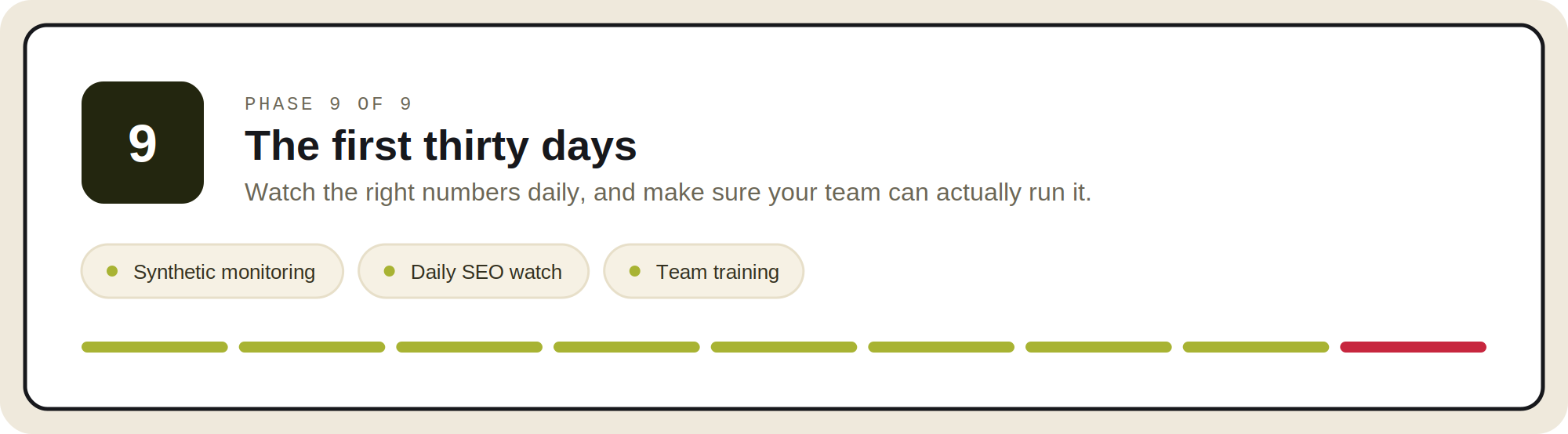
Synthetic monitoring from day one
Cover checkout, search and category pages from multiple regions. Alert on conversion rate, not only on uptime. A site that is up and converting at half its previous rate will not trigger an uptime alert.
Watch SEO and revenue daily for thirty days
Rankings, crawl errors and revenue per landing page against the benchmark you captured in phase five. Expect fluctuation while Google recrawls.
Investigate pattern, not noise. A single page moving is weather. A whole template class dropping is a defect.
Train your internal teams before launch, not after
Merchandisers, customer service and finance all need to be fluent in the new admin on day one.
Adoption failure is indistinguishable from platform failure when you look at the metrics, and it is the most avoidable way for a technically successful migration to be judged a bad decision.
How to tell whether the migration worked
Most migration plans end at go-live. The decision gets judged months later, usually by someone who was not in the room for it, and usually against numbers nobody agreed in advance. Set the definition of success before you start, not after somebody asks.
Capture the baseline while the old platform is still live
You cannot demonstrate improvement against a benchmark you never took. Record these before cutover:
- Revenue, conversion rate and average order value, by month, for the previous twelve months
- Organic sessions and indexed page count
- Checkout completion rate, and page load times on your highest-traffic templates
- How long it currently takes to launch a campaign, add a product type, or stand up a new store
The last one gets skipped and it is the one that matters most, because it is the only baseline that measures the reason you are migrating.
What to watch at thirty, sixty and ninety days
- Revenue and conversion against the same period last year, not against last month. Seasonality will otherwise tell you whatever you would like to hear.
- Organic sessions and indexed pages tracking back to baseline. Movement in the first weeks is normal. No recovery by day ninety is a redirect or template defect, not a patience problem.
- Checkout completion and payment error rates, split by payment method and device. Failures here concentrate in the combinations nobody tested.
- Support contacts about orders, which is the fastest early signal that something in the data migration is wrong.
The measures that decide whether it was worth doing
Matching your old numbers on a new platform is recovery, not return. The case for moving was that certain things become possible, or stop being expensive. Measure those:
- Time to launch a promotion or landing page without a developer
- Time to add a new storefront, region or brand
- Time from a merchandising idea to it being live
- Engineering hours spent maintaining integrations, against the same figure before the move
If those have not moved twelve months in, the platform changed and the operating model did not. That is the most common way a technically clean migration ends up remembered as a disappointment.
What an eCommerce platform migration costs, and how long it takes
Every article on this subject either dodges this question or answers it with a number that has no source. Here is the honest version.
There is no independent published benchmark for replatforming cost. Every public figure traces back to somebody's project experience rather than research, and anyone presenting a cost range as industry data is overstating what exists. What follows is ours, drawn from implementation work, and labelled as such.
Indicative ranges
- Mid-market: $150,000 to $300,000, over five to ten months.
- Enterprise B2B: $250,000 to $600,000 and above, over eight to fourteen months.
- Composable or headless: $500,000 to $2 million and above, over twelve to twenty-four months.
The split matters more than the total
Platform licensing usually accounts for only 20 to 40 percent of total project cost. Implementation, ERP integration, data migration and QA make up the balance.
This is why licence-fee comparisons between platforms are close to meaningless, and why the internal staffing line is the one most often omitted from business cases and most often decisive in the composable versus modular choice.
Why timelines slip, and what to do about it
Those ranges assume discovery happens before the contract is signed. It usually happens after, which is the single largest source of overrun. Three things surface late, and they surface on almost every project:
- The data is worse than anyone said it was. Duplicate SKUs, attributes used three different ways by three generations of merchandisers, orders sitting in states the new model does not have.
- Integrations nobody documented. The script that pushes orders into the warehouse system, still running, written by someone who left, owned by no one.
- Decisions with no owner. Whether to carry historical orders forward. What happens to outstanding gift card balances. Who signs off on the new checkout. Each is an hour of work and three weeks of waiting.
The fix is sequencing rather than optimism. Do the data audit and the integration inventory before you agree a timeline, and name a decision owner for each open question at kickoff. Any estimate produced without those two things is a placeholder, however precise it looks.
The cost that arrives later
The migration invoice is the number everyone models. The number that decides whether this looks like a good call in two years is the monthly run rate, and it moves in ways a licence quote does not show:
- Apps and extensions added one at a time to close functional gaps
- Transaction fees that scale with the growth the migration was meant to unlock
- Per-seat costs as more of the business starts using the admin
- Support tier upgrades, usually purchased right after the first incident
Model three years, not the project. The workbook's TCO tab is built for exactly this, with a contingency calculation you can set yourself and a check that flags when licensing is dominating your model, which reliably means a cost line is missing. For where Core dna itself sits, see pricing.
The fourth option: building it yourself
There is a fourth path that rarely appears on migration checklists, and it is the one teams take by default when no platform seems to fit the way they work: build it in-house.
It is occasionally the right answer. It is also where the most expensive migrations begin, because an internal build competes for the same engineering capacity as everything else the business needs, and it does not finish in the way a project finishes. The requirements keep arriving.
What it looked like for Save a Life
Save a Life delivers CPR, BLS and certification training at scale. They spent more than a year building their own certification platform, while running three systems in parallel:
- WordPress for content
- A standalone LMS for course delivery
- A separate eCommerce system for transactions
The build kept growing, internal resources stayed tied up maintaining it, and they reached the conclusion that their business is delivering life-saving training, not maintaining software.
When they moved to Core dna, the first working prototype took a few weeks. The full project went live in six months, including the migration, the LMS and all content, on one platform instead of three.
The comparison worth drawing
Not the time spent against the six months, because that year of building was not wasted. It produced a precise specification of how certification actually had to work.
The point is that the specification was the valuable part, and the system to run it on did not need to be built from scratch. If your own requirements are unusual enough that no platform seems to fit, that is worth testing with a prototype before it becomes a roadmap.
The full story is in how Save a Life runs their certification platform on Core dna, and building an LMS without custom code covers how the prototype was put together.
If you run more than one storefront
Multi-storefront capability appears on every platform feature list. Multi-brand governance appears on none of them, and it is the harder problem.
Three decisions to make before you migrate, not after.
What is shared and what is brand-local
Catalogue, content model, components, design system and customer data can each be centralised or devolved, and you will want different answers for different ones.
Getting this wrong in either direction is costly. Too much central control and brand teams build shadow workarounds. Too much autonomy and you are maintaining a dozen divergent implementations. This is the problem multi-site orchestration exists to solve.
Which brand goes first
Not the largest, and not the most vocal. The one complex enough to prove the model and small enough to survive being the pilot.
What a new storefront actually costs you
Ask each vendor to spin up a second storefront reusing existing components during the demo, and time it.
The difference between reusing a structure and rebuilding a site is the single largest cost variable for multi-property operators, and it does not show up in licence pricing.
If this is your situation, the patterns differ by model: multi-brand retail, multi-location operators, and our guides on BigCommerce alternatives and Shopify Plus alternatives for multi-property operators.
eCommerce platform migration FAQ
For a mid-market store, plan three to six months end to end. Enterprise B2B builds involving ERP integration, contract pricing and corporate account hierarchies usually run eight to fourteen months. A full composable rebuild with a separate front end can run twelve to twenty-four months.
The build is rarely the long pole. Data reconciliation, redirect mapping, integration testing and stakeholder approvals are what stretch timelines. Teams that compress the schedule almost always compress testing, which is the phase that protects revenue.
For an enterprise migration, the cost comes from the scope. Four things move it most: how many systems the platform connects to, how much live commercial state has to carry across, how many storefronts, brands and markets are involved, and how long the old and new platforms run in parallel.
Platform licensing is usually the smaller part of the total. Implementation, integration, data migration and testing make up most of it, so a quote built from the licence fee alone understates the project.
Expect temporary movement. Google's own guidance states that you may experience ranking fluctuations while it recrawls and reindexes, and that for medium-sized sites it can take a few weeks or more for new URLs to replace old ones in results. Larger sites take longer.
Permanent loss is an execution problem, not an inevitability: missing or chained redirects, bulk redirects to the homepage, staging environments left indexable, structured data dropped in the rebuild, or facet and pagination URLs nobody mapped.
The standard set: products and variants, categories and taxonomy, prices, inventory, customer accounts, order history, content pages, reviews, discount codes, tax classes, shipping rules and SEO metadata.
The set that causes production incidents when missed is different. Gift card and store credit balances are a live financial liability and need reconciling to the penny with Finance. Stored payment tokens are vendor-scoped, so confirm whether your processor supports vault-to-vault transfer or subscriptions will break at renewal. Live B2B state means open quotes, credit balances, approval chain configuration and contract price effective dates.
In most cases, yes. The pattern is to build and verify on the new platform while the current store keeps trading, lower your DNS TTL around 48 hours ahead, run a final delta import of orders and customers created since the main load, then switch.
What you cannot fully avoid is a short window where orders could land in two places. Plan for it explicitly rather than hoping: either pause order capture for a defined period, or reconcile the gap afterwards with a documented process.
Very little, in common usage. Migration tends to describe moving data, content and URLs from one system to another. Replatforming tends to describe the broader programme: the new platform, the integrations, the team workflow and the operating model.
Rehosting is genuinely different and worth separating out. Moving the same platform to new infrastructure is a hosting change. It carries none of the data mapping or redirect risk that makes a replatform hard, so do not let a vendor price one as the other.
At least twelve months. Google's guidance is to keep redirects in place for as long as possible, generally at least a year, because that timeframe allows all signals to transfer to the new URLs, including recrawling and reassigning links on other sites that still point at your old ones.
This is worth stating because most migration checklists treat redirects as a launch-week task that can be cleaned up once traffic looks stable. They are a twelve-month commitment. Removing them early forfeits exactly the link equity the project spent months protecting.
Three patterns recur. Unowned decisions: when two people sit in the accountable seat for the same milestone, the milestone stalls, and no amount of engineering capacity fixes it. Migrating legacy workarounds forward instead of categorising each one as replicate, refactor or retire, which faithfully rebuilds the problem you paid to escape. And no rollback plan with no named authority to trigger one, which turns cutover night into a judgement call made under pressure by whoever is still awake.
On budget specifically, research across 5,392 IT projects found a mean cost overrun of 1.8 times estimate, distributed with a long tail rather than normally. A ten percent contingency does not reflect that shape, and the projects that fail financially are usually the ones that treated the reserve as a formality.
A checklist tells you what to do. It does not tell you what to insist on. For the principles behind these decisions, read the 6 rules of enterprise eCommerce replatforming.
If your migration is primarily a content and website move rather than a commerce move, our CMS migration checklist covers that path. And for the wider B2B picture, start with our guide to B2B eCommerce.
If you are scoping a move now and want to see how Core dna handles it, start with replatforming.
Summarize with