Core dna MCP via ChatGPT
Learn how to integrate your Core dna account with ChatGPT using the Model Context Protocol (MCP).
This guide walks you through the OAuth configuration and app creation process to enable seamless interaction between your Core dna DXP and AI tools.
1. Navigate to Core dna login page, and sign in using your Core dna Login Details, eg: https://mysitemcp.com/cdna-admin
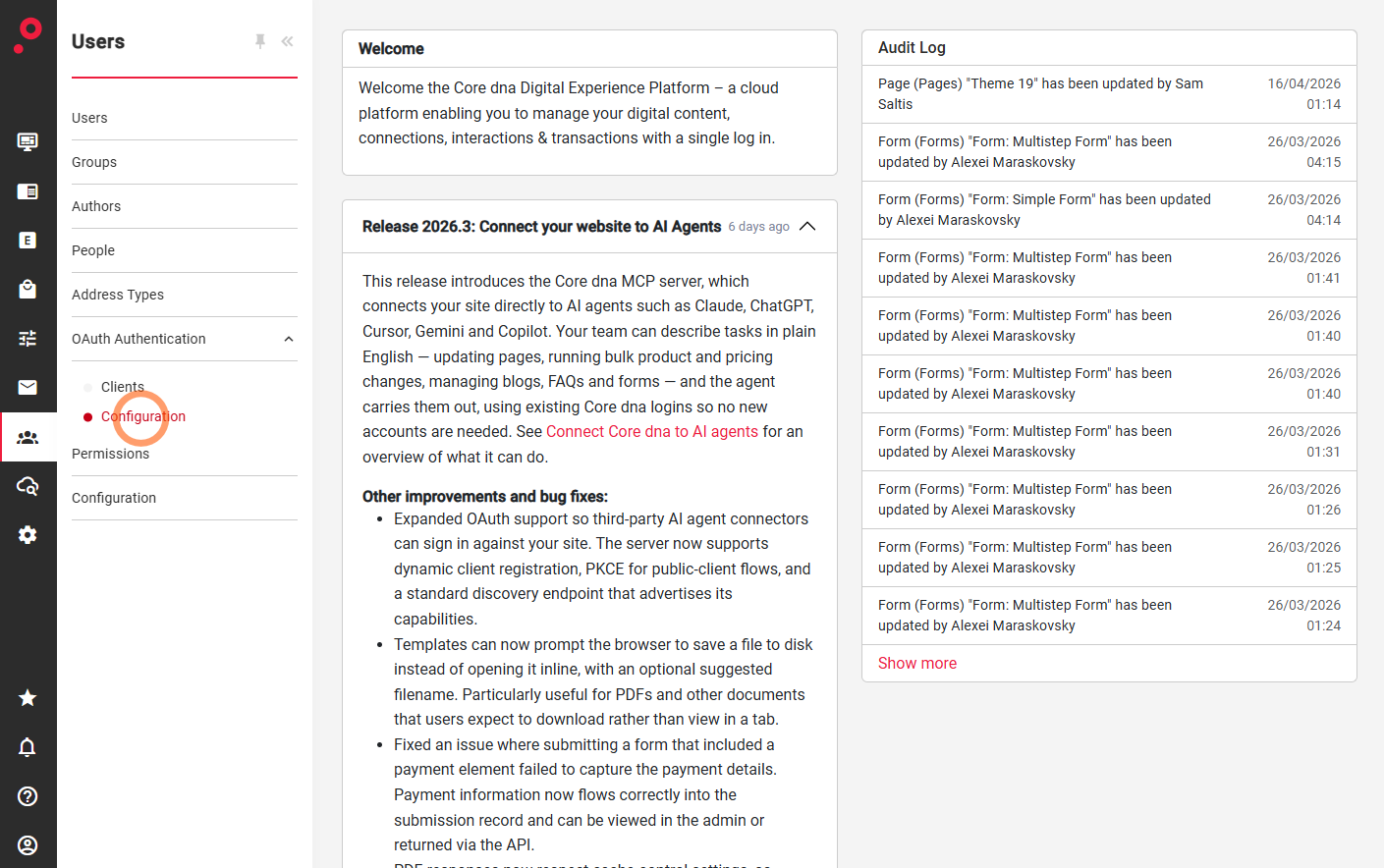
2. Navigate to Users > OAuth Authentication > Configuration
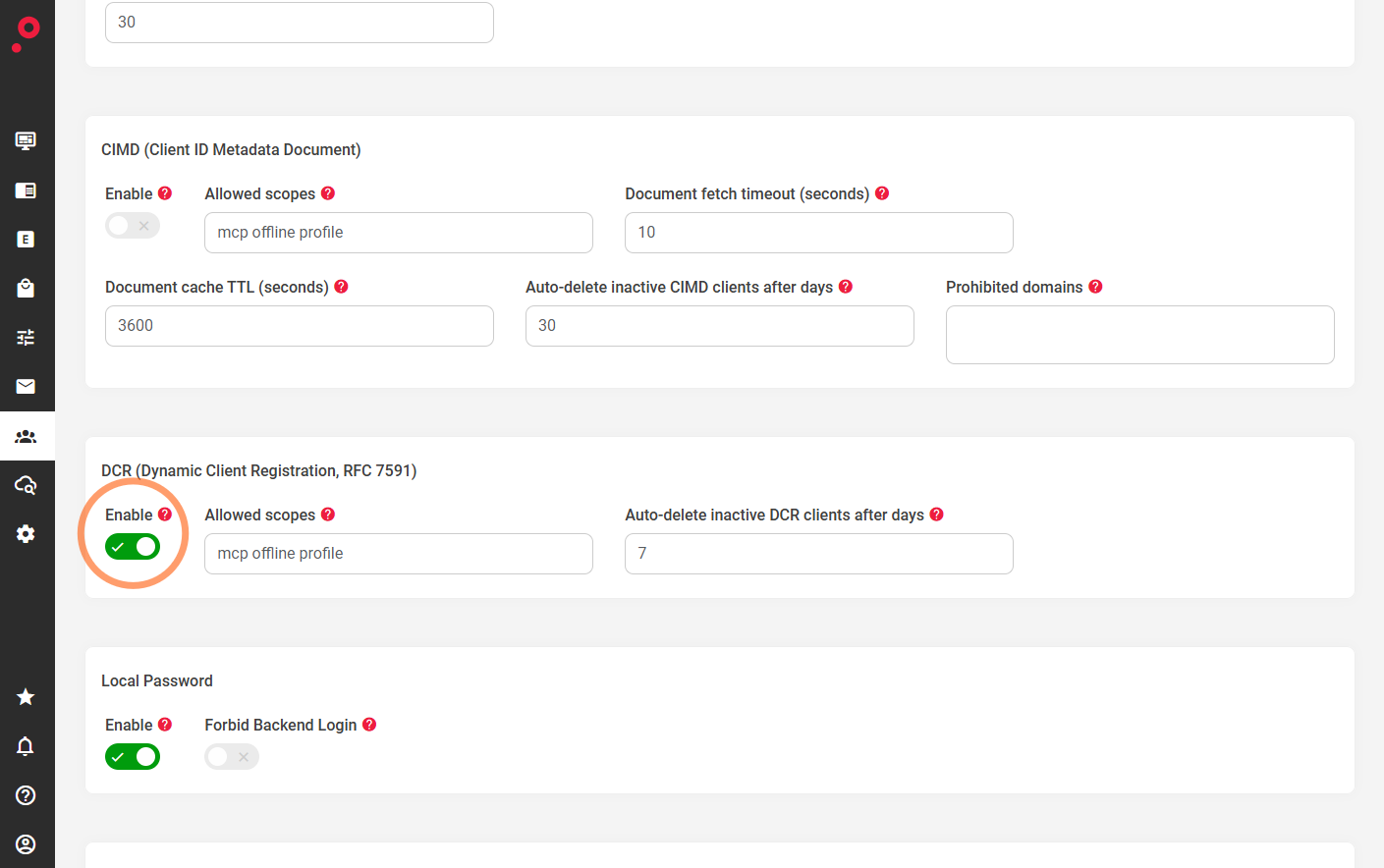
3. Enable DCR > Save changes
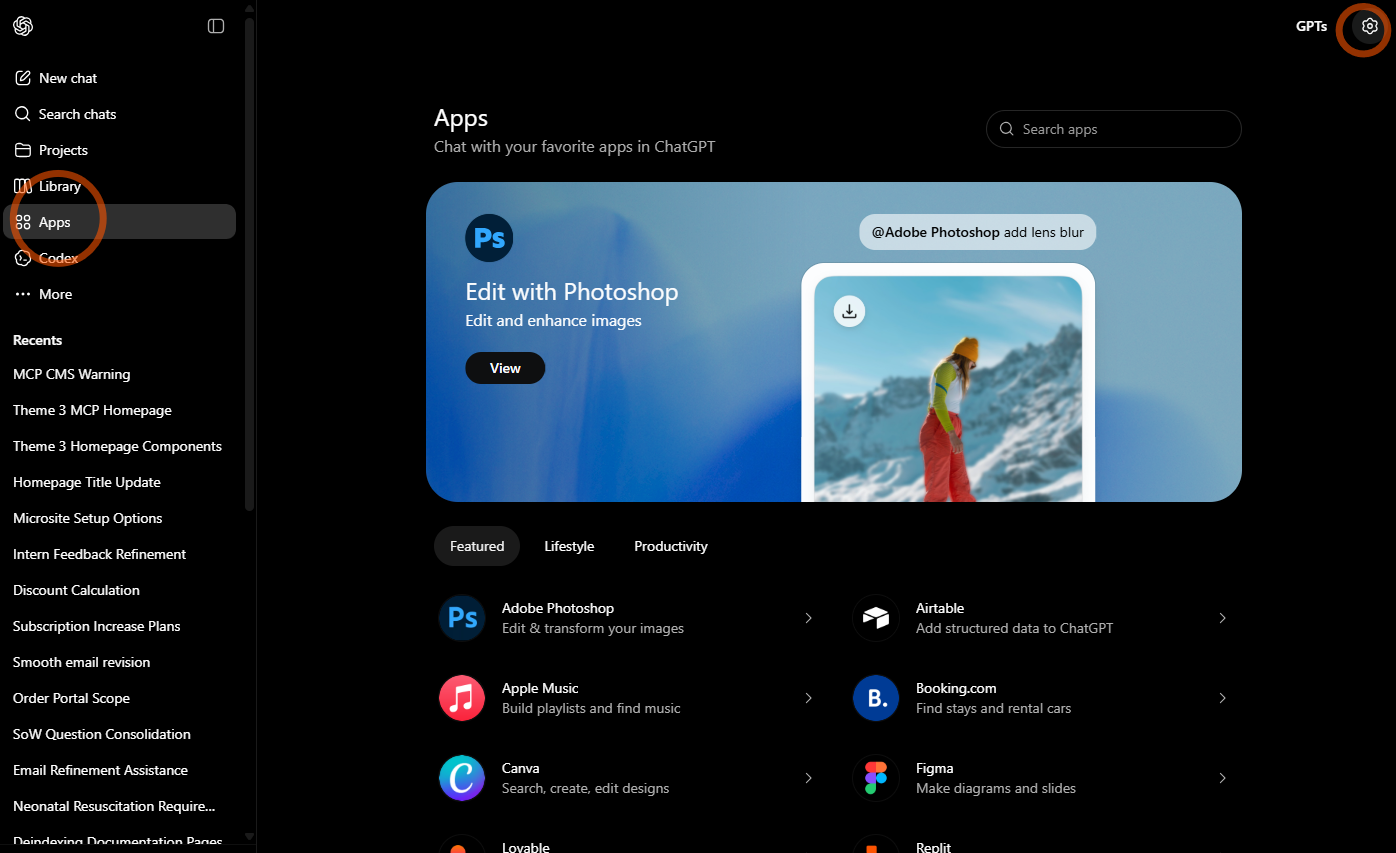
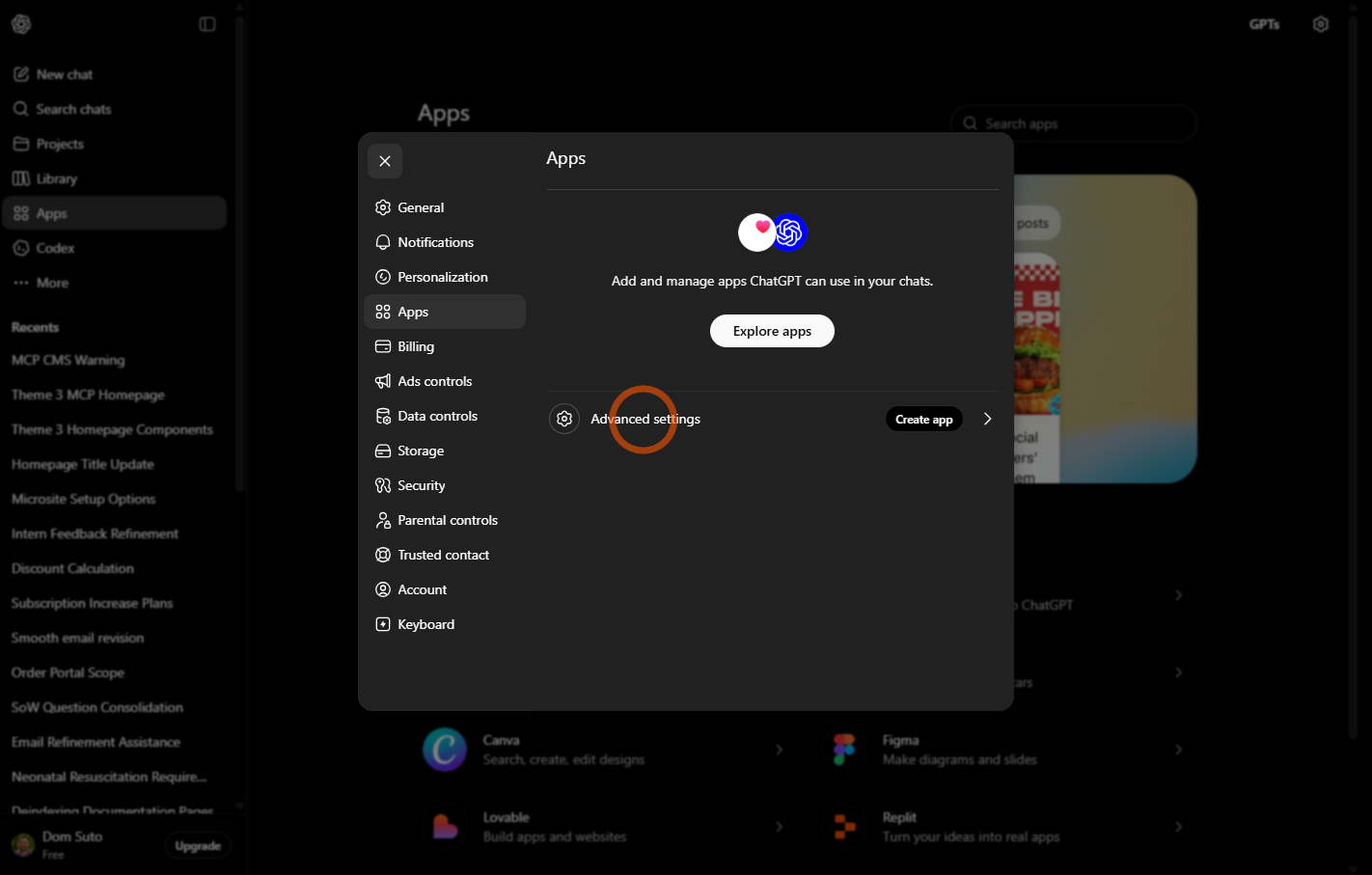
4. Open https://chatgpt.com/ in your browser OR desktop app > Navigate to Apps > Edit Settings
5. Click "Advanced settings" and ensure the Developer Mode is enabled
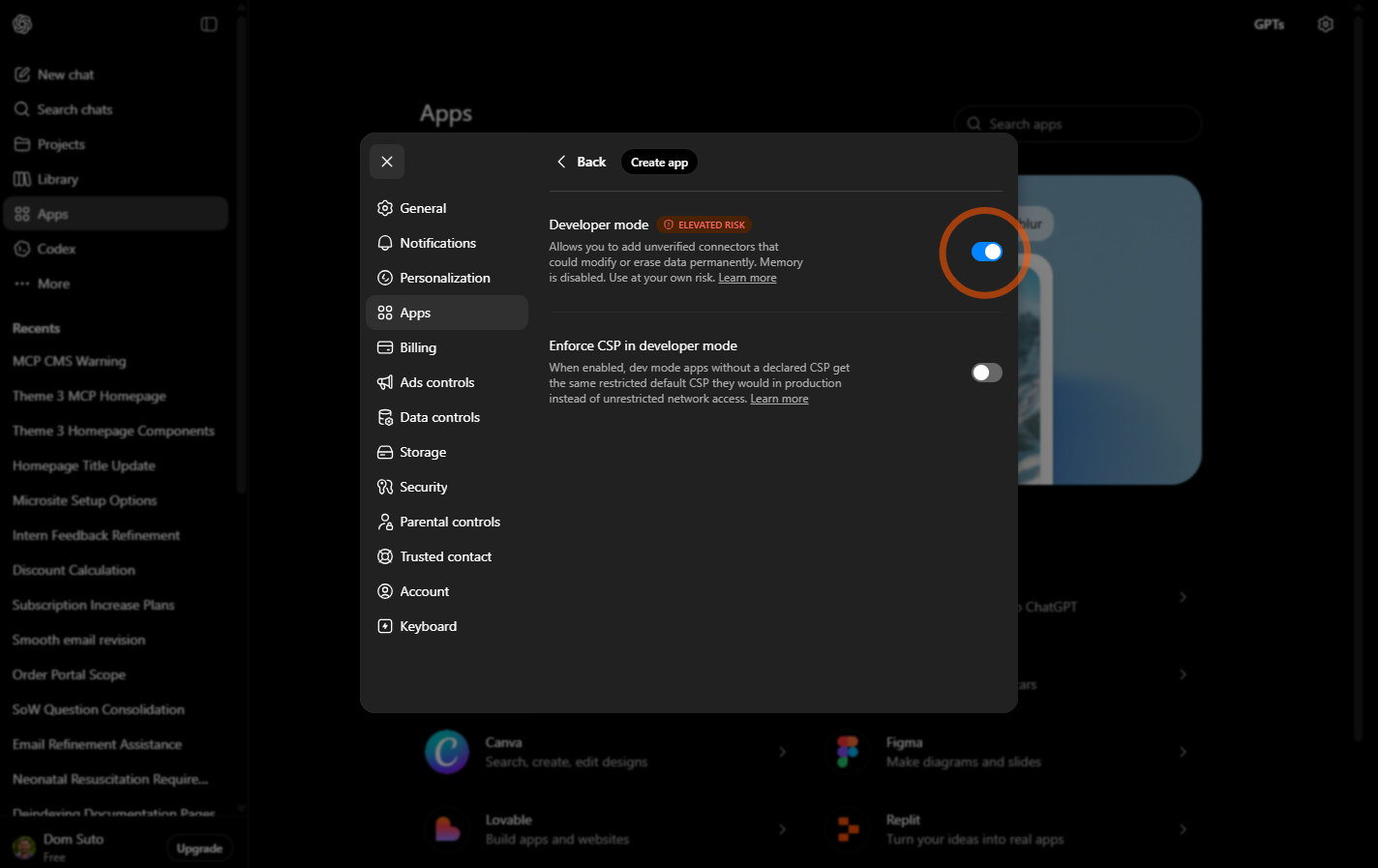
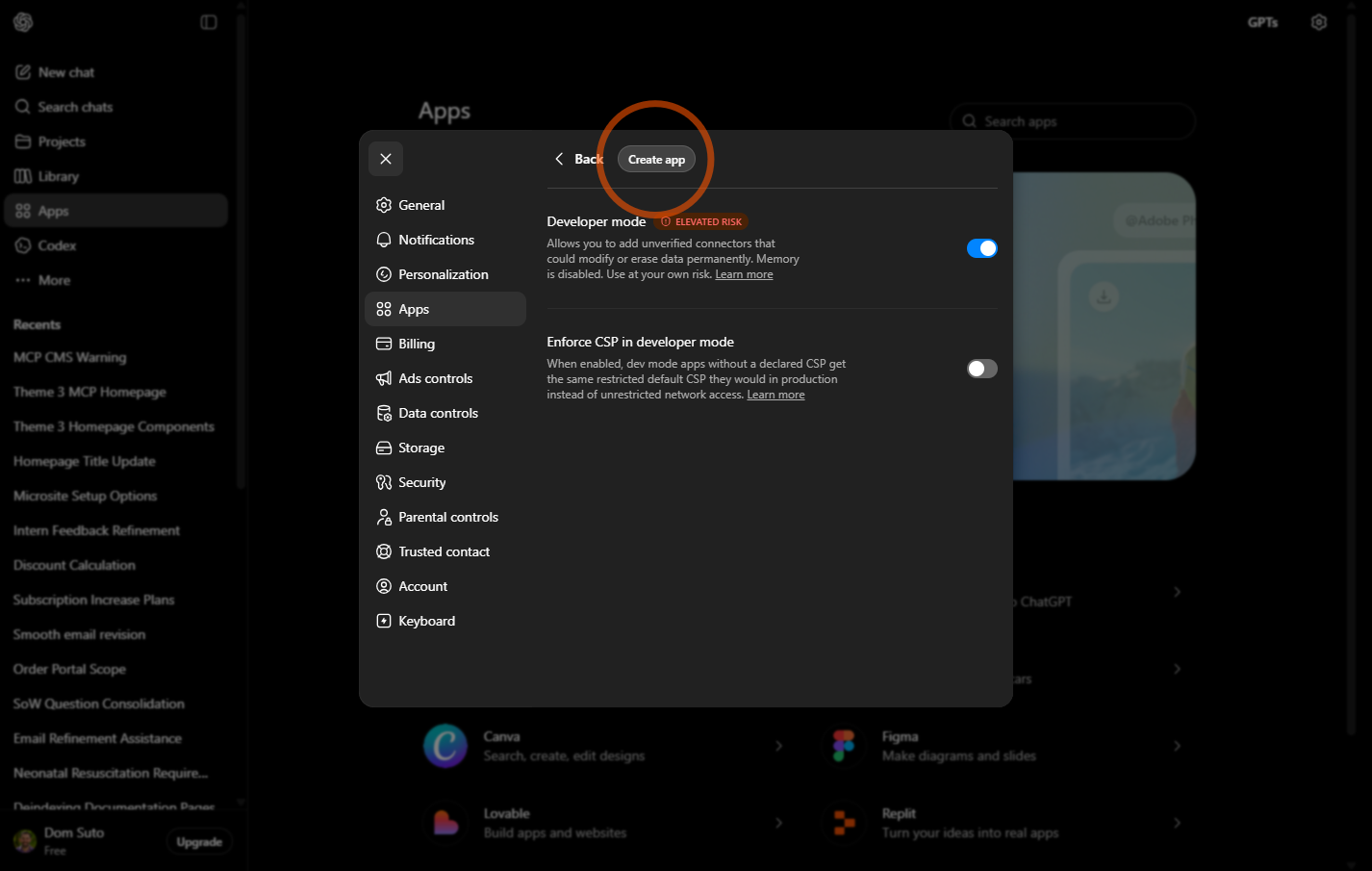
6. Click "Create app"
7. Populate the:
"Name" field, eg. "My Site MCP"
"MCP Server URL", eg. "https://mysitemcp.com/cdna-mcp"
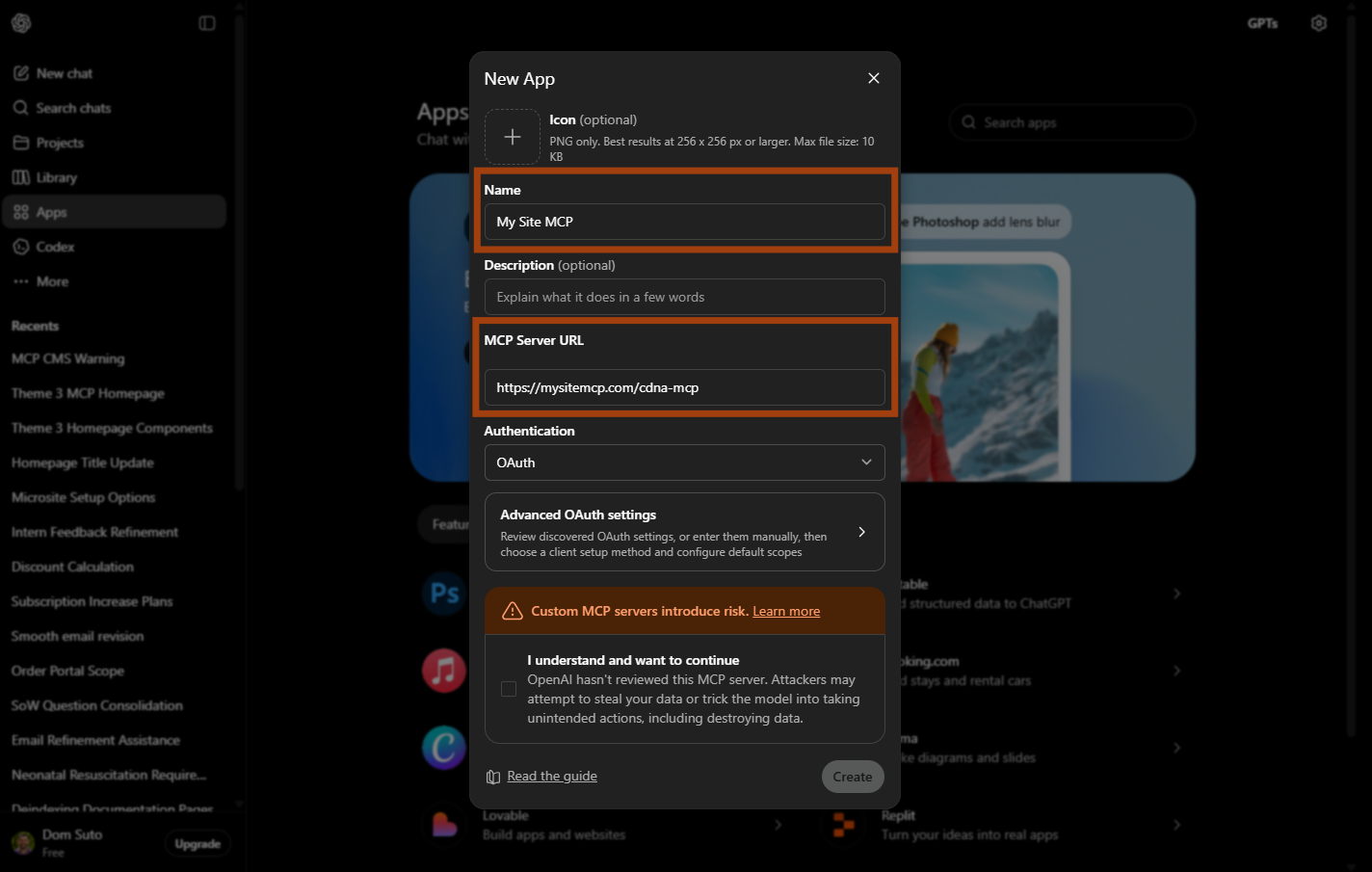
9. Click "Advanced OAuth Settings" > Under the "Registration Method" select DCR
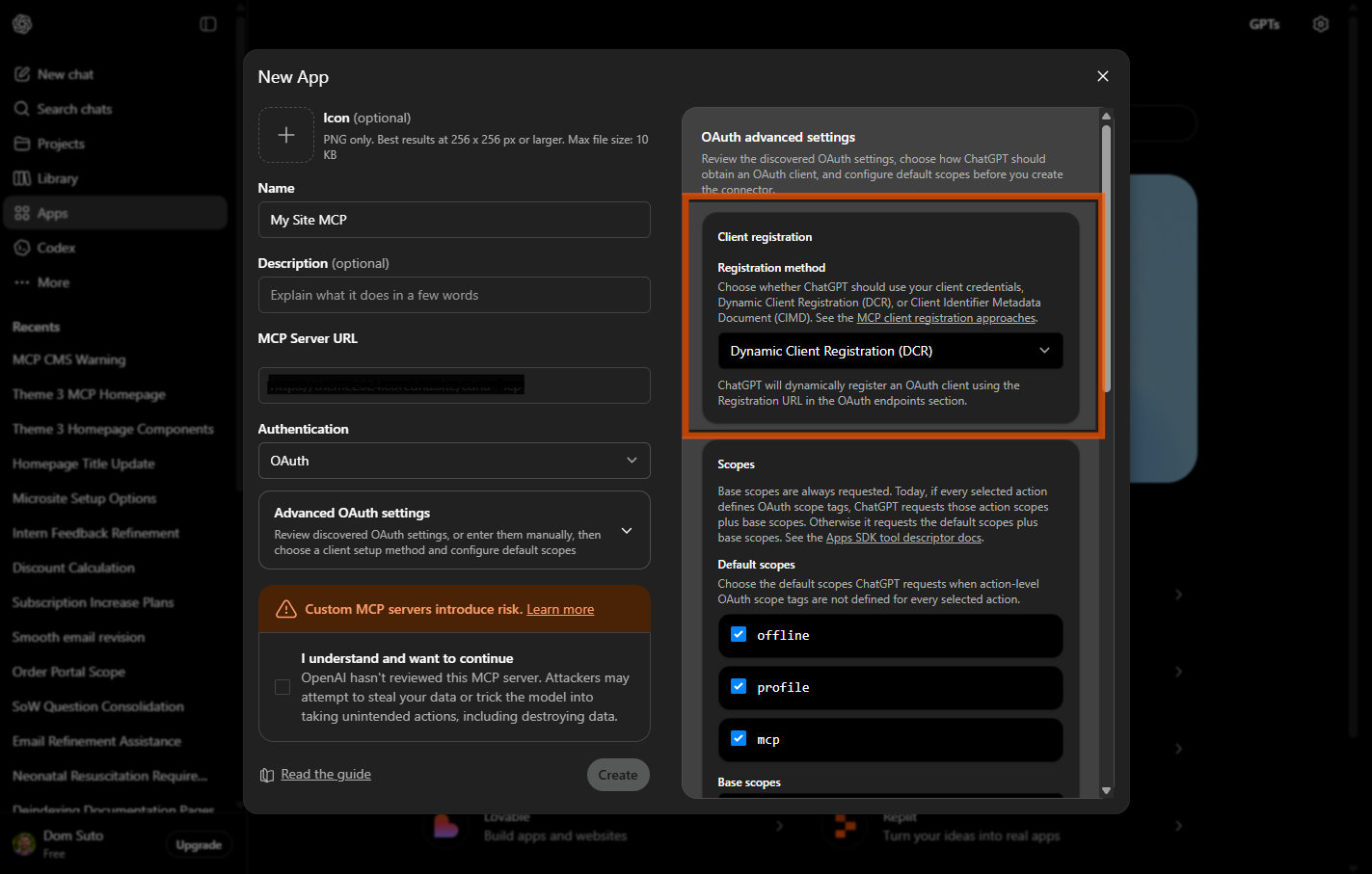
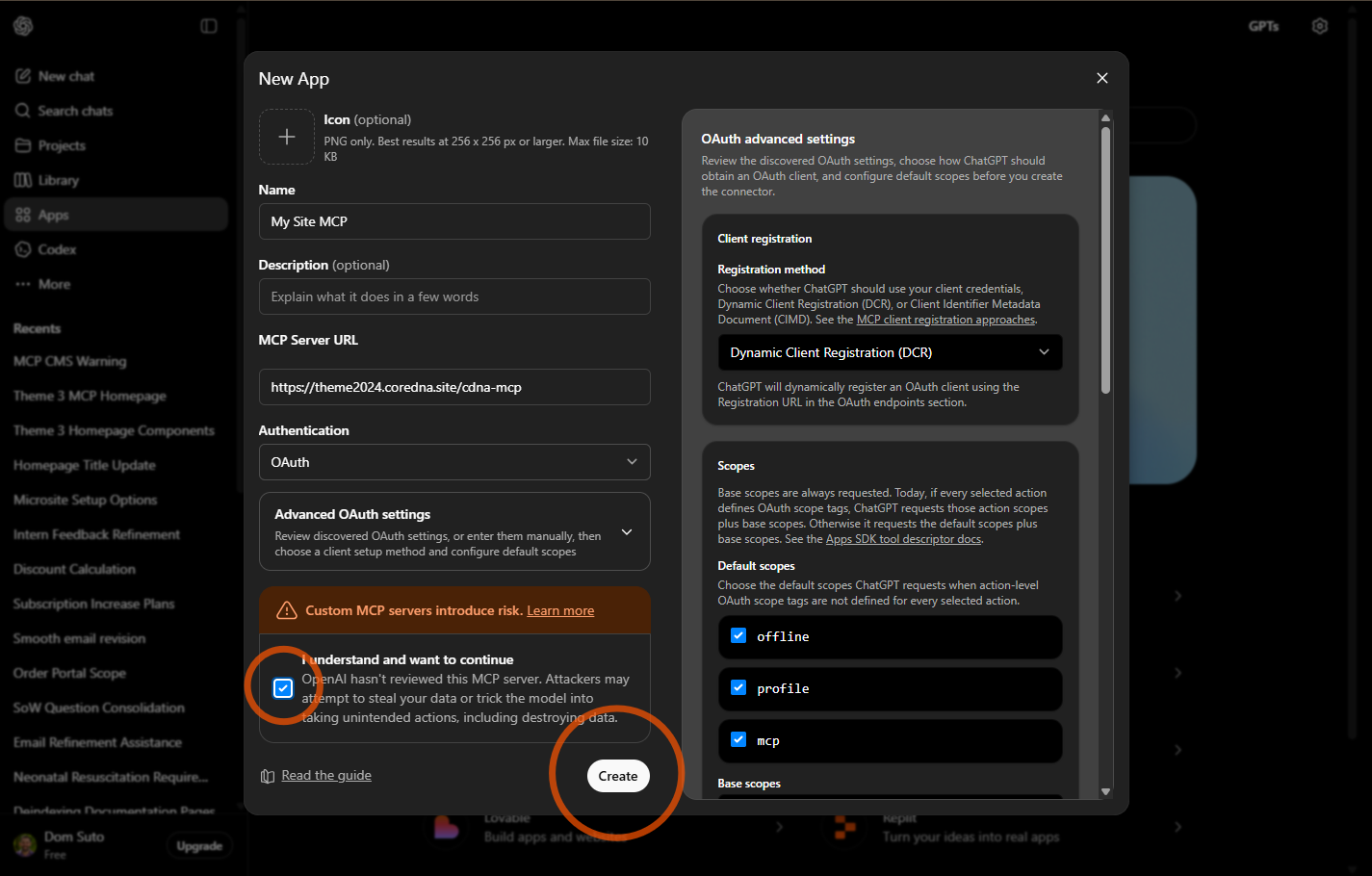
11. Click "I understand and want to continue" checkbox > Click "Create"
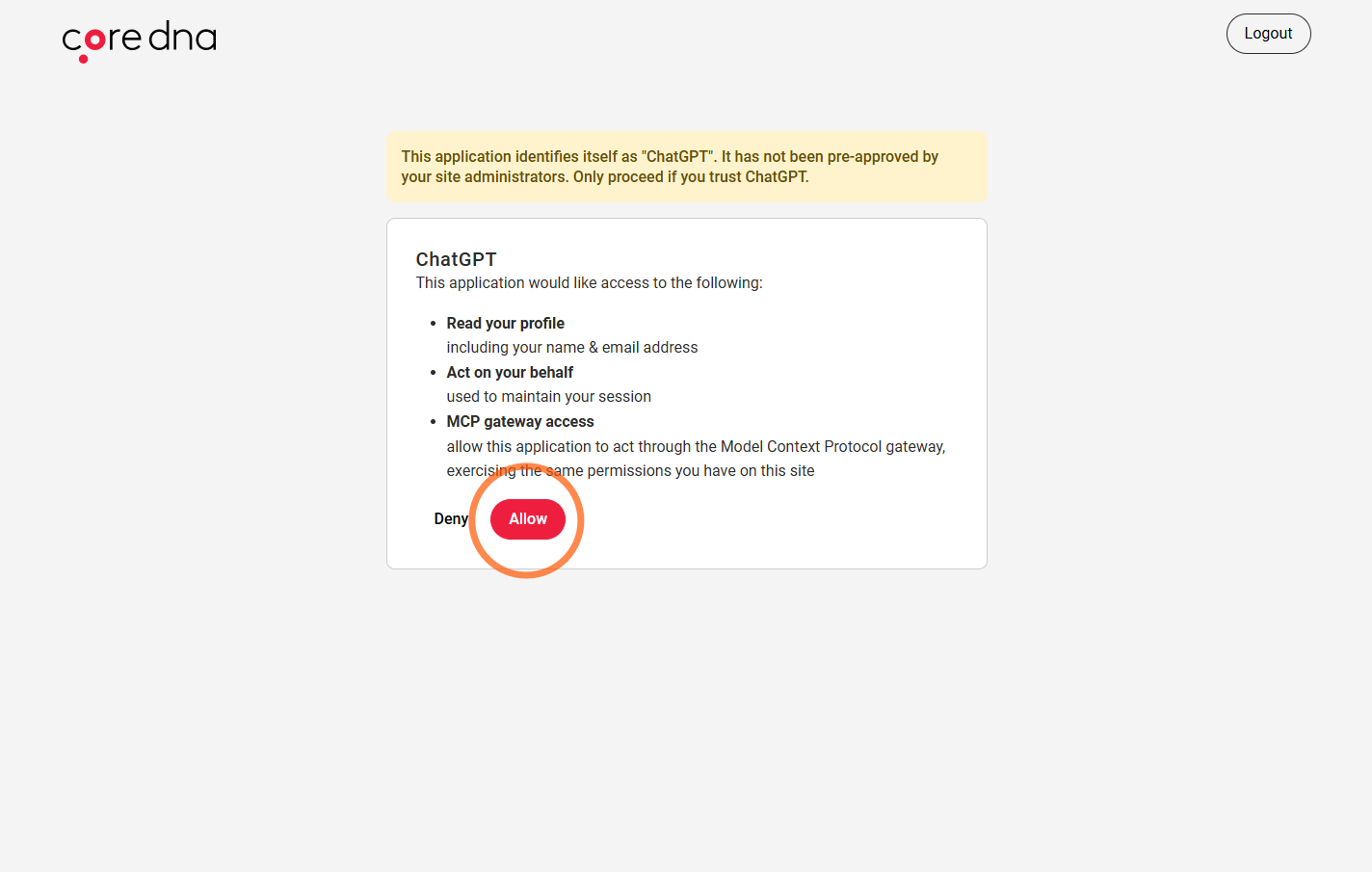
13. You will be redirected back to the Core dna site, click "Allow" to authorize ChatGPT to access Core dna
14. You will be redirected back to ChatGPT
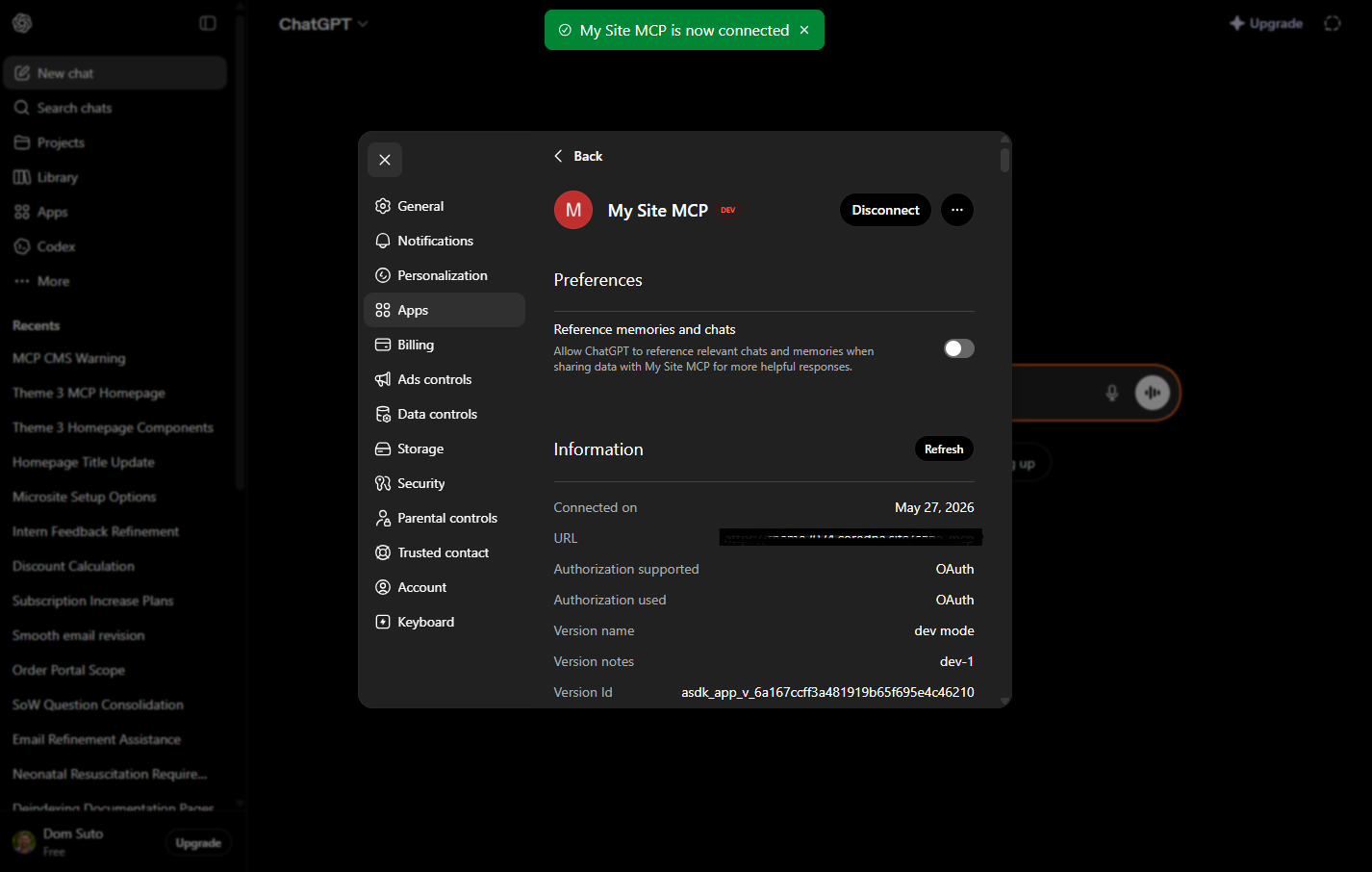
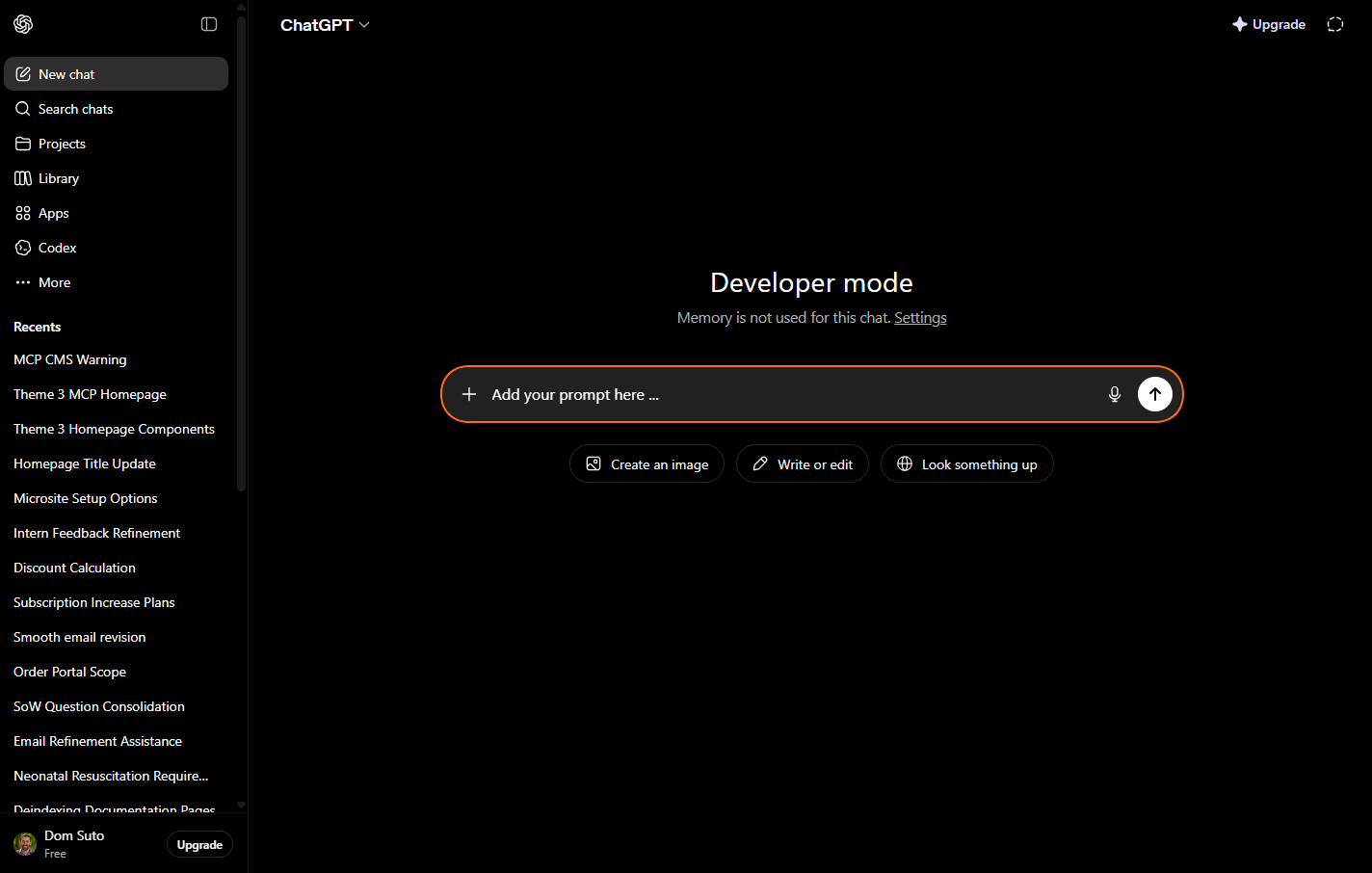
14. All done, you can now go back to ChatGPT and write your first prompt.
⚠️ Warning: AI + MCP Access to Your CMS/eCommerce Platform Connecting AI agents to your CMS, eCommerce platform, or production systems through MCP (Model Context Protocol) introduces powerful automation capabilities - but also significant operational risk. AI systems execute actions based on prompts and available permissions. A poorly written, ambiguous, or unintended prompt can trigger destructive actions at scale, including but not limited to: • Deleting products, pages, collections, or customer data Unlike traditional software workflows, AI agents interpret natural language probabilistically. Even well-intentioned prompts can produce unexpected outcomes if safeguards are not in place. To reduce risk, we strongly recommend: • Restricting AI permissions to the minimum required access By enabling MCP-connected AI access, clients acknowledge that AI-generated actions may produce unintended changes or operational disruption if improperly configured or prompted. Treat AI agents with the same caution as granting administrator access to a human operator - because, at scale, mistakes can cause significant damage within seconds. |