You have probably seen the letters MCP go past in a LinkedIn post or a webinar title, decided it was an engineering thing, and scrolled on. That was the right instinct for about a year. It is not anymore.
MCP, the Model Context Protocol, is simply a standard way to let an AI assistant like Claude or ChatGPT do things inside the tools you already use, instead of just talking about them. Think of the difference between asking an assistant “how would I fix this page?” and telling it “fix this page,” and having it actually done, in your real system, with your real content.
I am not an engineer. I run content, SEO, and go-to-market for a composable DXP. For months now, the single most important tool in my day has been our platform’s native MCP integration, not as a demo, but as the thing I use to publish, restructure the site, fix technical SEO, and translate pages.
So this is not the usual explainer. It is a tour of what MCP actually lets a marketer do, across three things you already own: content, commerce, and the orchestration between them.
Book an MCP demo with a Core dna specialist.
What MCP actually is, in plain terms
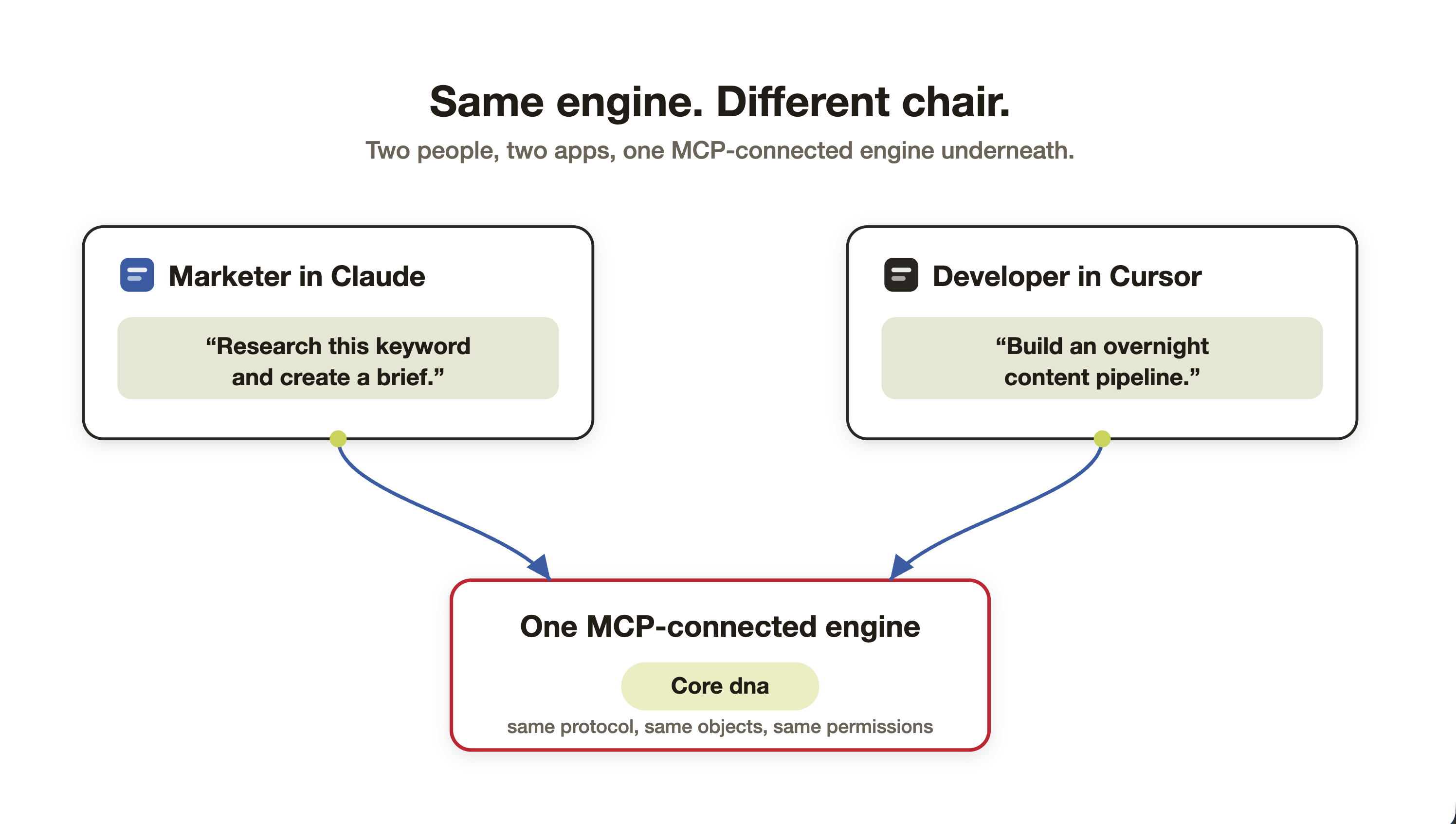
Here is the whole idea without the jargon. Your CMS and your store have always had a control panel: buttons, forms, dashboards. MCP gives that same control panel a second entrance, one an AI assistant can walk through on your behalf. You describe the outcome in plain English; the assistant finds the right levers and pulls them.
The reason it feels like magic is that you never learn an API or hunt through a screen. The tools describe themselves to the AI, so you just say what you want. A developer opening the same door in Cursor sees code and endpoints. You, in Claude, see “publish this,” “fix these links,” “launch this collection.”
And the surface is not small. Our integration exposes roughly 80 tools spanning the platform’s 400-plus API endpoints. So “the AI can touch it” means the whole platform, from a blog post to a product variant to a redirect, not one demo corner of it.
Same engine underneath. The developer and the marketer just walk in through different doors.
For content teams: from a backlog to a batch
Content teams are being asked for more than they can physically make. Adobe expects demand for content to grow fivefold by 2027, while the day-to-day is still gummed up by the same things: finding the time, chasing approvals, and hunting for the right asset. The usual advice is “write faster.” MCP changes where the work happens instead.
Because the assistant acts inside the CMS, content stops being a string of copy-paste steps and becomes a batch:
- Publish in bulk, not one by one. Turn a folder of Google Docs into staged draft pages in a single run, with formatting, metadata, and slugs handled.
- Fix the whole library at once. I audited 157 orphan pages and added internal links across an entire cluster in a couple of sessions: the sweep nobody ever has time to do by hand.
- Retire and redirect safely. Clean up dated URL slugs with 301 redirects behind them, in one pass.
- Localize as a batch. Stand up a Spanish-for-Mexico version of a page as a reusable asset, then repeat it across the section.
And here is the part that actually changes the job: you can make some of it run without you.
“Every time I publish an article, find the three most related posts and add internal links both ways.” Set it once; it runs on every publish.
For ecommerce: catalog work without the catalog headache
Ecommerce teams lose the same fight over and over: keeping product data right. More than half of retailers say inconsistent product information is one of their biggest problems selling across channels, and manual entry is where the typos, wrong prices, and mismatched SKUs creep in. Thin or missing descriptions then quietly cost you conversions and drive returns.
This is a CMS and commerce MCP, so the assistant works on the real catalog (products, variants, categories, menus, redirects), not a watered-down copy:
- Enrich the catalog in bulk. Rewrite or fill in descriptions across a whole category to match a campaign or a new tone: hundreds of SKUs in one run, not one afternoon per product.
- Fix consistency across variants and storefronts. Bring naming, attributes, and copy into line everywhere at once, so the size-and-colour fields stop drifting.
- Launch a collection end to end. Group the products, build the category page, wire the navigation, and set the redirects for any URLs that changed.
- Let it read the numbers. The assistant can see orders, quotes, invoices, inventory and stock, so what is actually selling can steer the merchandising, with no wait on a report.
“When a product drops below 10 in stock, flag it and soften the ‘buy now’ copy.” The catalog starts maintaining itself.
For operations: the orchestration layer you keep trying to build
Here is the uncomfortable stat. Nearly 90% of marketing leaders are testing AI, but fewer than 10% have deployed an end-to-end workflow that actually creates value (McKinsey). The blocker is rarely the model. It is that the systems were never built for an agent to work across them, and the data is fragmented and ungoverned.
That is exactly the gap a native MCP on a single content-and-commerce platform closes. The agent is already inside one governed system, so orchestration stops being a wiring project:
- Run programs, not tasks. “Audit the blog for orphans, propose internal links, and stage everything for review” is one instruction, not a project plan.
- Cross content and commerce in one flow. Create the product category, build the landing page, add the menu item, set the redirects, and queue the announcement, a single run touching a dozen of the platform’s tools.
- Sweep every property at once. Multi-site or multi-store, the same request can roll a positioning or pricing-copy change across all of them, consistently.
- Stand up automations that run themselves. Recurring and event-triggered jobs mean the routine work (weekly orphan audits, new-product enrichment, launch checklists) happens without anyone kicking it off.
One person, describing outcomes in plain language, running the kind of coordinated program that used to need a project plan and three teams.
But is it safe to let AI touch your live site?
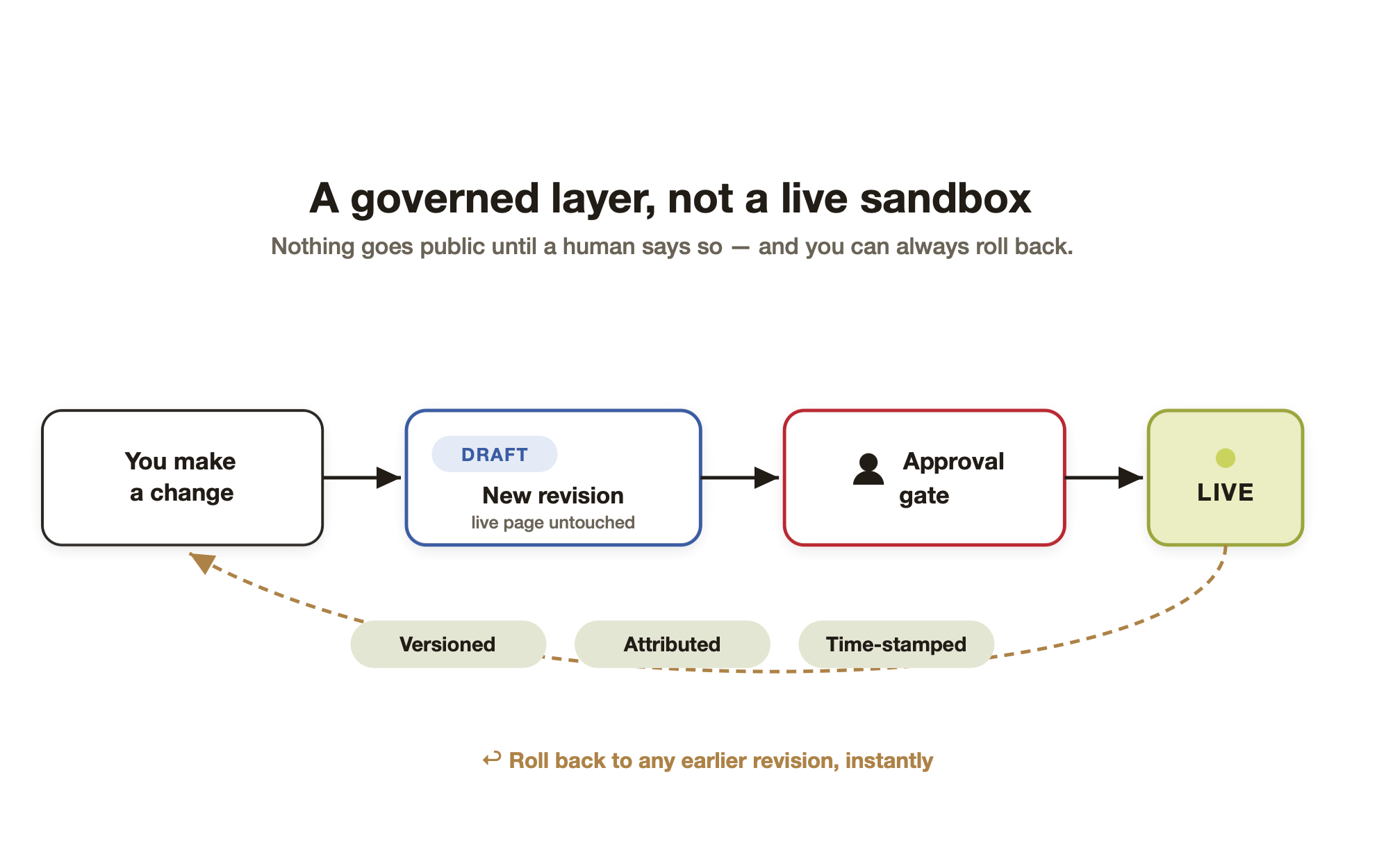 This is the first question every marketer asks, and it is the right one. For a lot of raw MCP setups the honest answer is “be careful.” For a governed CMS like ours, the safety is built into how it works:
- Draft. Every AI-assisted edit becomes a new revision. It never touches the live page directly.
- Stage. Your draft sits beside the published version, which keeps serving traffic, untouched.
- Approve. Nothing goes public until a human promotes it.
- Roll back. If something is wrong, revert to any earlier revision in one step.
- Audit. Every change is attributed and time-stamped, so there is a record of who did what.
That is the difference between a live sandbox and a governed environment, and for a marketing team, it is the whole ballgame.
Governance is not the boring part of this story. It is the part that lets you actually say yes.
What this changes for you (and where developers still fit)
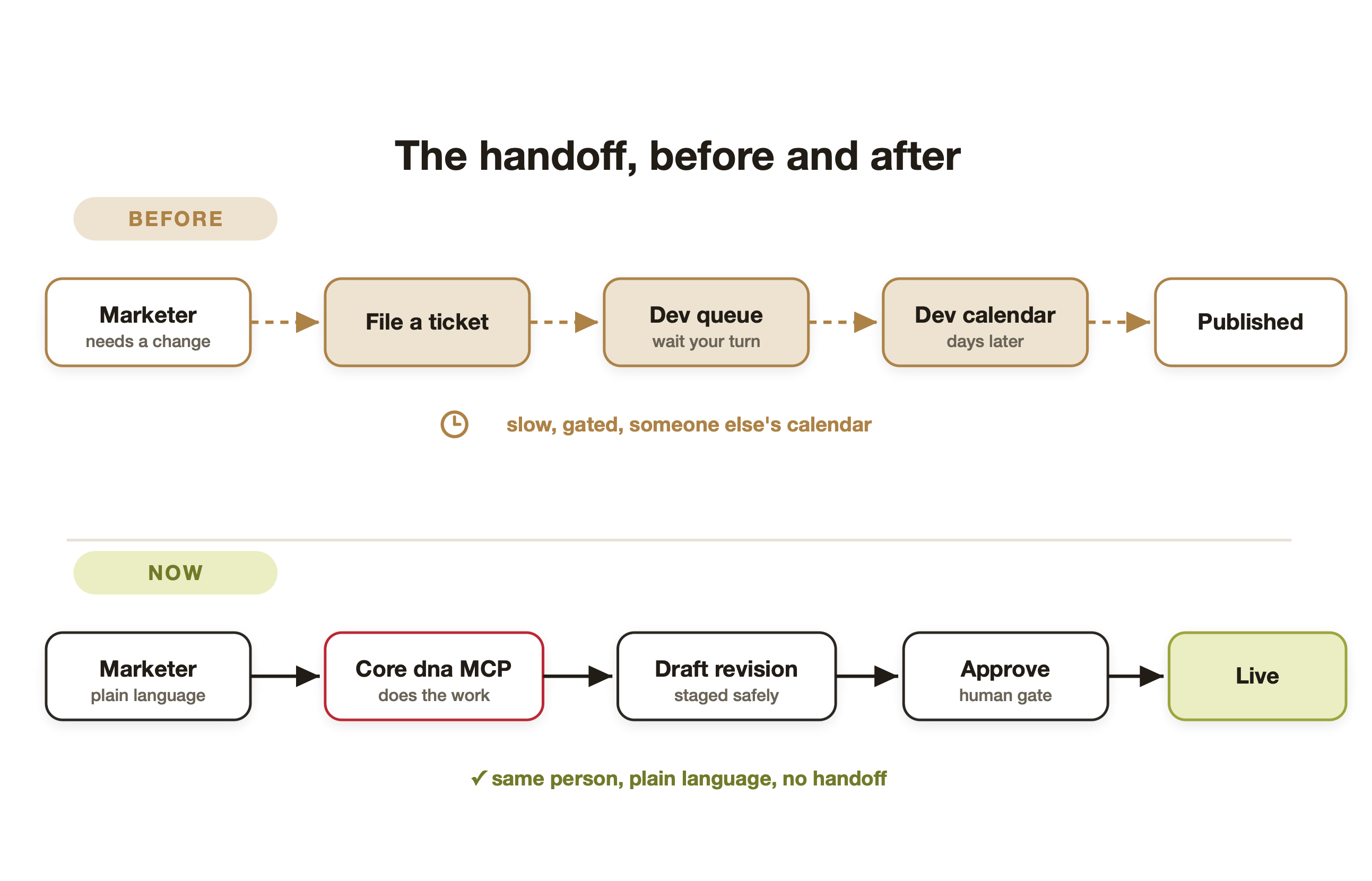
The old path for almost any change was the same: write a ticket, join a queue, wait for a developer’s calendar. MCP does not make that handoff faster. For a large and growing share of my work, it makes it disappear.
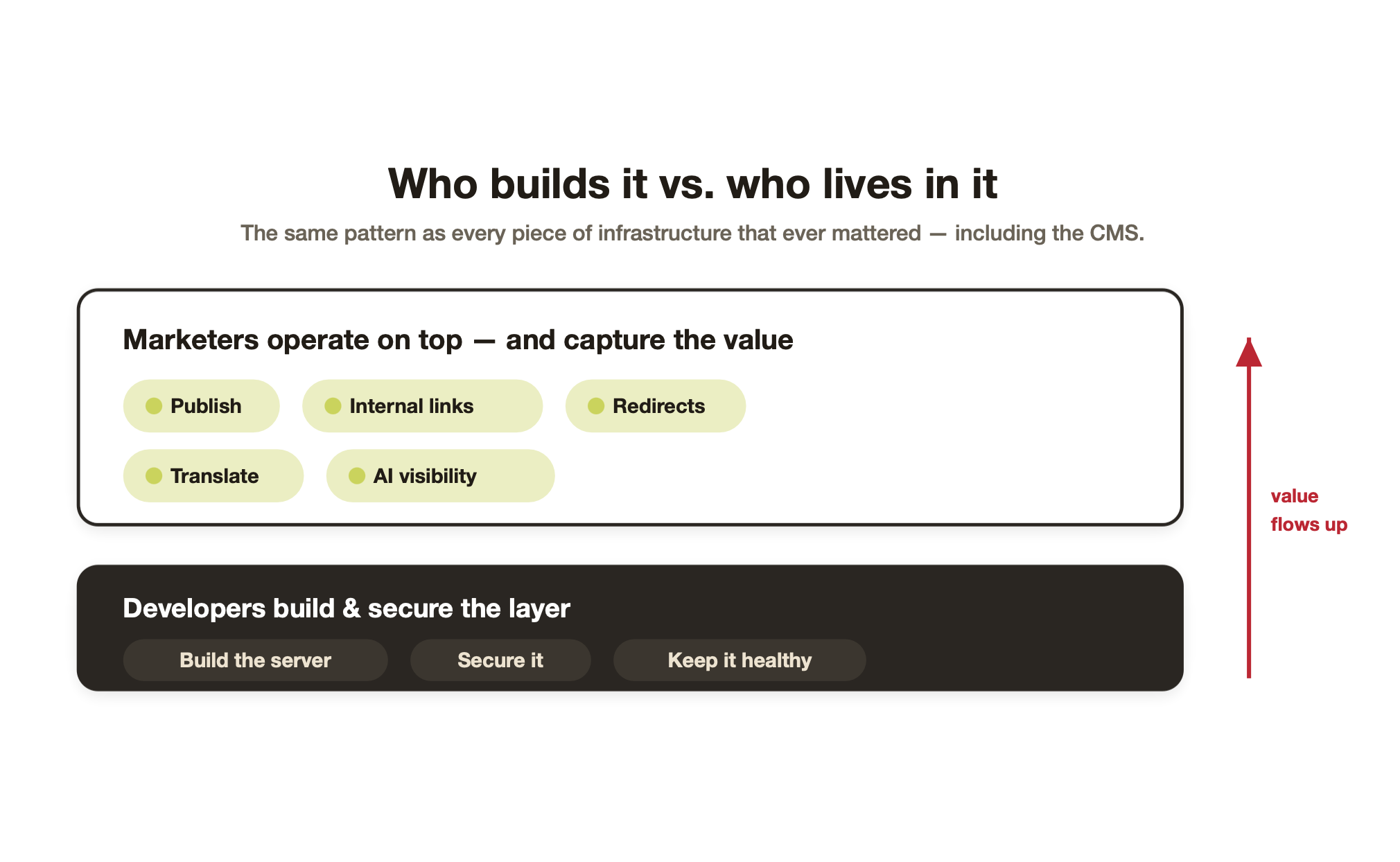 That does not mean developers go away. Someone still has to build the server, secure it, and keep it healthy, and that someone is an engineer. But that is exactly the pattern of every tool that ever mattered:
Developers build and secure the layer. Marketers operate on top of it and capture the value, the same way we always have with the CMS.
The bottom line
If you have been told all year that MCP is not for you, here is the correction: it is a control panel for your content and commerce that answers to plain language, stages everything safely, and never makes you learn an API.
MCP is not the developer’s new toy. For a marketer, it is a new pair of hands.
Most people just have not been shown what it can do yet. Now you have.
See how multi-property operators run every site from one platform. Book a demo with a Core dna specialist.
Summarize with