
MANAGE YOUR PROPERTIES Brand Governance

One brand across every property. Room to move where it's local.

One brand across every property. Room to move where it's local.
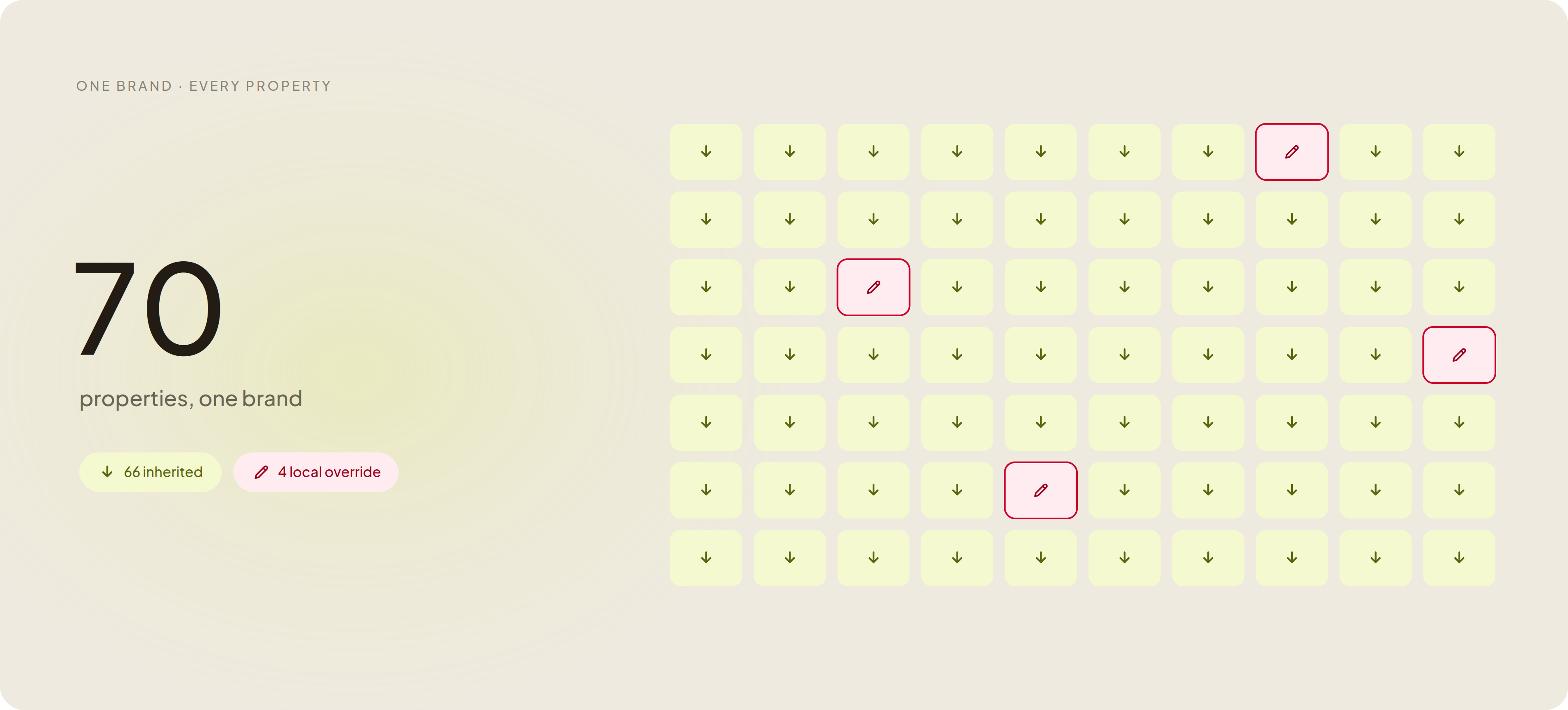
70
properties on one brand
Clark Rubber

Clark Rubber   I   YMCA   I   Randy's Worldwide   I   Frontier Touring

Most platforms make you choose between consistency and local speed. You shouldn't have to.

Lock everything and your local teams build shadow sites to get around you. Lock nothing and your brand drifts into seventy versions of itself. Brand governance is the model that lets you set the brand once and still let every location move - the same day, without a ticket.

Image

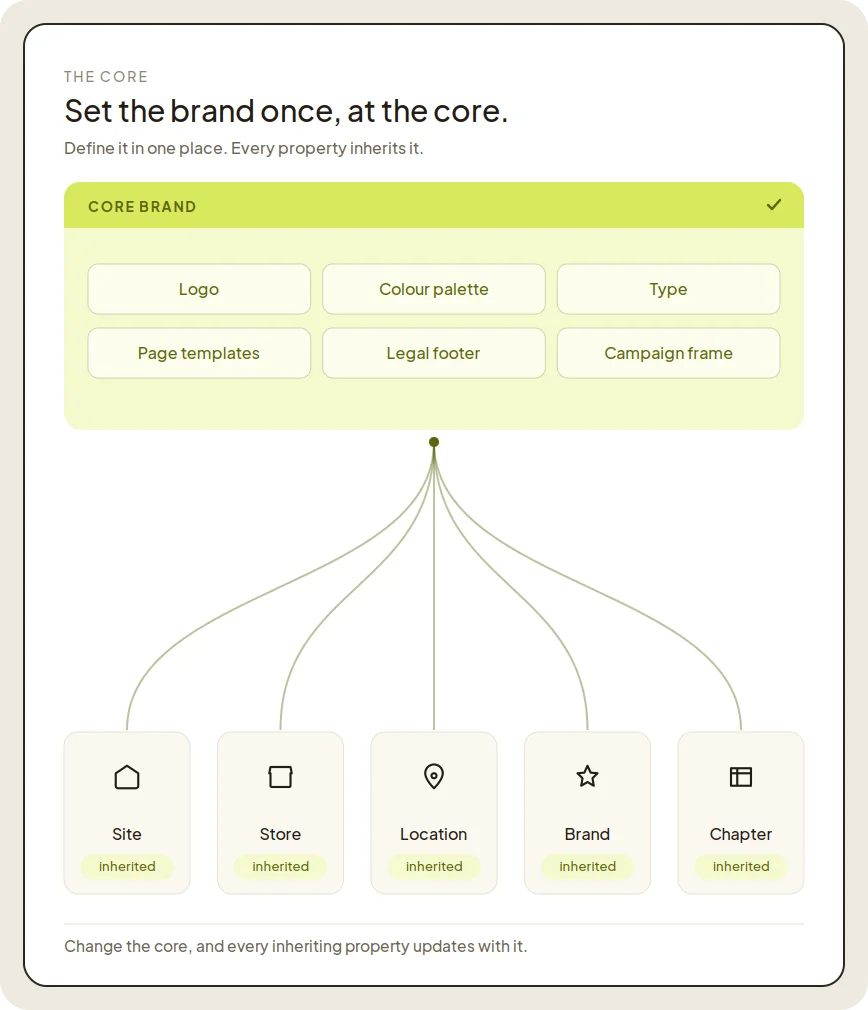
Set the brand once, at the core.

Your logo, palette, type, templates, legal footers, and campaign frames live in one place - the core. Every property inherits from it. Change the core, and the change flows to every site, store, location, and chapter that inherits it. You are not maintaining seventy brand books. You are maintaining one.

  • Brand standards set centrally: logo, palette, type, templates.
  • Legal and compliance text defined once, inherited everywhere.
  • Campaign frames published from the core to every property.
  • Change the core, every inheriting property updates.
  • One core to maintain, not seventy brand books.
Multi-site architecture

Inherit everywhere. Override only where it's allowed.

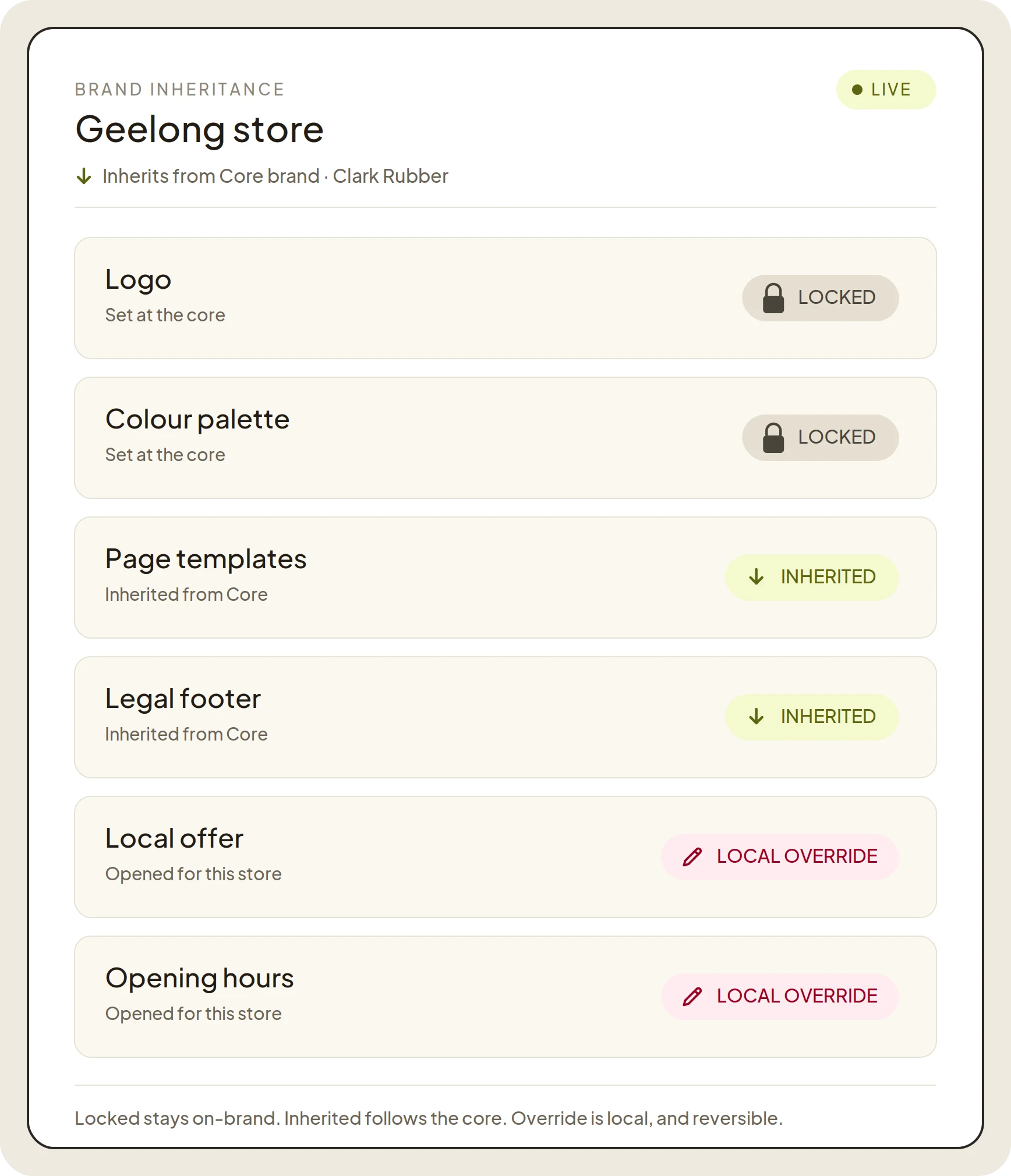
Inheritance is the default, not the exception. A property starts fully on-brand because it inherited the core. Where local difference is real - a regional offer, local hours, a market-specific image - you open that field for override. Everything you do not open stays locked and inherited. The local team sees exactly what they can change, and nothing they can't.

  • Locked by default: a property is on-brand until you open a field.
  • Per-field override: open the offer, keep the template locked.
  • Overrides are visible, scoped, and reversible.
  • A local override layers on top of the core, it never edits it.
  • Who can override a field is set by the role, not the job title.
Roles and permissions
Image
Image

Let local teams move - without breaking the brand.

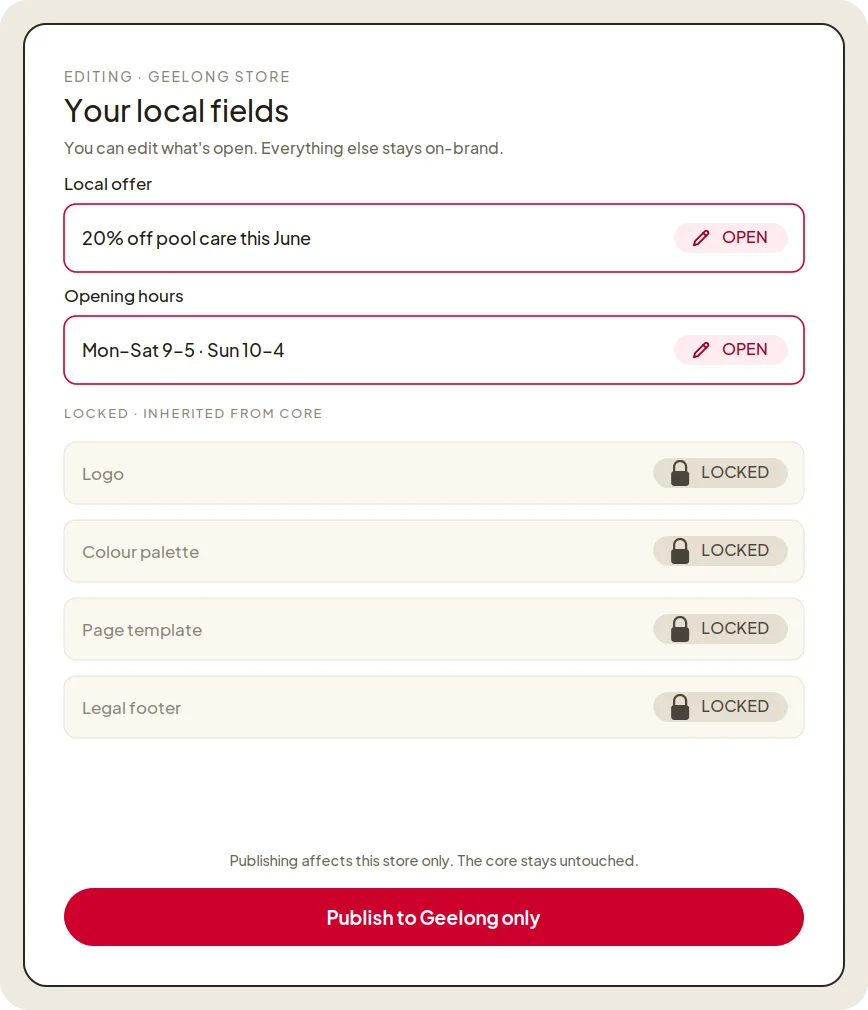
A regional manager launches their own promo, swaps their local hero, updates their hours - today, on their own. They are working inside fields you opened, on top of a template they cannot break. The brand holds because the structure holds, not because someone is policing screenshots.

  • Local edits happen inside opened fields, never on locked structure.
  • A local manager can't touch corporate templates or another region.
  • On-brand by construction, not by reminder emails.
  • Changes that need sign-off follow their approval route automatically.
  • Lean teams ship locally without waiting on the centre.
Approval and governance
What we govern one model, your whole operation

Eight things you govern from one core - not eight tools you stitch together.

PAGES & CONTENT CORE TEMPLATES · LOCAL PAGES

Templates and structure, set centrally.

Set at the core: page templates, required sections, structure. Opened for local: regional landing pages, local news, market copy.

Templates Structure Local pages
PRODUCTS & CATALOGUE MASTER CATALOGUE · LOCAL RANGE

One catalogue, local availability.

Set at the core: the master catalogue, product data model, naming. Opened for local: which products a location carries, local availability.

Master catalogue Data model Local range
PRICING & PROMOTIONS LIST PRICE · LOCAL OFFER

List price locked, local offer open.

Set at the core: list pricing, margin floors, the promo framework. Opened for local: a regional offer, inside the approved frame.

List price Margin floors Local offer
TEMPLATES & LAYOUTS LOCKED STRUCTURE

Choice within an approved set.

Set at the core: every layout, grid, and component. Opened for local: choice within an approved set, never the structure itself.

Layouts Grids Components
BRAND ASSETS THE HARD LOCK

Logo, palette, type - locked.

Set at the core: logo, palette, type, spacing. Opened for local: nothing. This is the hard lock the whole model protects.

Logo Palette Type
LEGAL & COMPLIANCE CORE POLICY · LOCAL INSERTS

Policy once, local inserts where needed.

Set at the core: footers, disclaimers, policy blocks. Opened for local: jurisdiction-specific inserts where the law requires them.

Footers Disclaimers Jurisdiction
CAMPAIGNS CORE FRAME · LOCAL DETAIL

Run the frame, localise the detail.

Set at the core: the campaign frame, hero, key message, dates. Opened for local: local CTA, store details, local imagery, inside the frame.

Frame Hero Local CTA
AI AGENTS SAME LOCKS AS PEOPLE

Agents run inside the same fields.

Set at the core: what agents may touch, their scopes and ceilings. Opened for local: agents run inside the same opened and locked fields as people.

Scopes Ceilings Governed

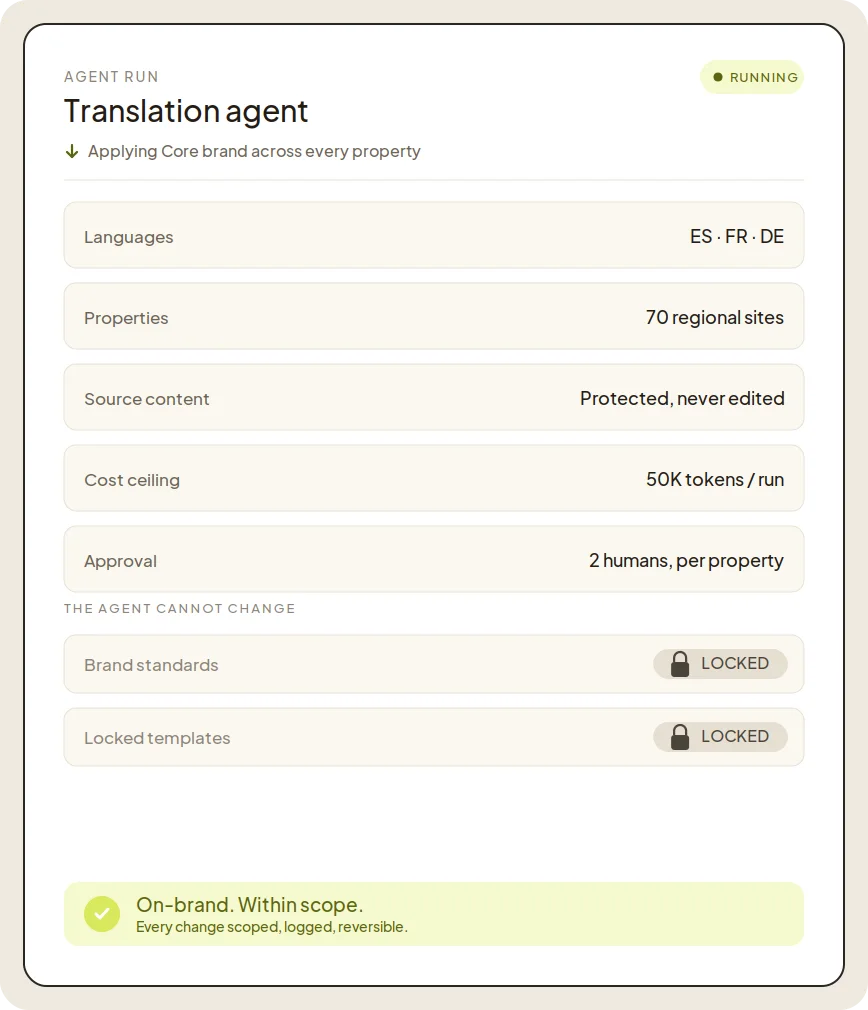
Agents stay on-brand too. By default.

When you roll a change across seventy properties from one prompt, the agent applies your governed brand - across all eight domains - it does not invent a new one. An agent inherits the same lock-and-inherit model your people do. It can fill the fields you opened. It cannot rewrite a locked template, override a brand standard, or touch a property it has no scope for.

  • Agents apply governed templates and translations, not a brand from scratch.
  • An agent can only change what the model lets a role change.
  • Locked brand standards are locked for agents too.
  • Every agent change is scoped, logged, and reversible.
  • One prompt updates every property, and every one stays on-brand.
Agentic workflows
Image
Governance

What keeps the brand consistent without slowing anyone down.

A new property is on-brand the moment it's created, because it inherits the core. You opt fields out of inheritance to allow local change, you never opt them in to enforce brand.

Lock a template, a colour, a legal block, or a whole section. Open a field for local override one at a time. The boundary is the field, not the page.

Every local override is visible from the core: which property, which field, who changed it. No hunting through seventy sites to find a drift.

Change a brand standard once and push it to every inheriting property in a single action. Local overrides on opened fields are preserved, not stamped over.

Scope, lock, inherit, override - identical whether the change comes from a person, the headless API, or an AI agent.

Core dna governs the brand of what runs on the platform. Assets you host elsewhere, or a property edited outside Core dna, are outside what the model can see. We integrate with your DAM; we don't replace your legal review.

Proof and compliance what a brand and security team expect

Brand control your security team can sign off

The governance a brand owner wants and a procurement team requires, run by a lean team.

01 Override visibility

See every local change from one place

One view across the whole network shows which property changed which field, and who did it. Drift surfaces before it spreads.

02 One-prompt rollout

Push a brand change to every property at once

Update the core and the change reaches every inheriting property in a single action, with local overrides preserved.

03 Audit & rollback

Every change recorded, one click to undo

A complete history of who changed what and when, with one-click rollback to any earlier version.

04 Data & compliance

SOC 2, ISO 27001, and GDPR

Hosted securely, with the certifications procurement needs ticked, ticked.

How teams roll this out

Most teams map their core in the first week, set it once, open the local fields, then turn on agentic - on-brand.

STEP 1
Map your core

What's truly global - logo, legal, templates - versus genuinely local - offers, hours, market content.

STEP 2
Set it once

Define the brand at the core. Every existing property inherits it.

STEP 3
Open the local fields

Decide what each property type can override, and who can override it.

STEP 4
Turn on agentic, on-brand

Roll changes across every property from one prompt, knowing every property stays inside the brand you set.

GET STARTED

Book a demo

See your brand governed across every property.