
MANAGE YOUR PROPERTIES Roles & Permissions

Give everyone exactly the access they need. Nothing more.

Give everyone exactly the access they need. Nothing more.
5
role types
out of the box

Clark Rubber   I   YMCA   I   Randy's Worldwide   I   Frontier Touring

Image

Start from roles your team already understands.

Admin, editor, author, developer, translator. Recognisable roles out of the box, each one a named bundle of what a person is allowed to do. Assign a role to a group rather than a person, so when someone joins or leaves you change the group, not a dozen separate settings.

  • An editor can publish. An author drafts only.
  • A developer gets templates and code, not your pricing.
  • Build a custom role when none of the presets fit.
Role presets start from roles your team already understands

Roles that fit how teams actually work.

ADMIN PEOPLE · ROLES · SETTINGS

Runs the platform for the properties they own.

Manages people, roles, and settings across the sites in scope. The role you give your platform owners, not your whole team. Everything an editor can do, plus the keys to how access itself is configured.

User management Role assignment Site settings
EDITOR CREATE · EDIT · PUBLISH

Creates, edits, and publishes on the sites in scope.

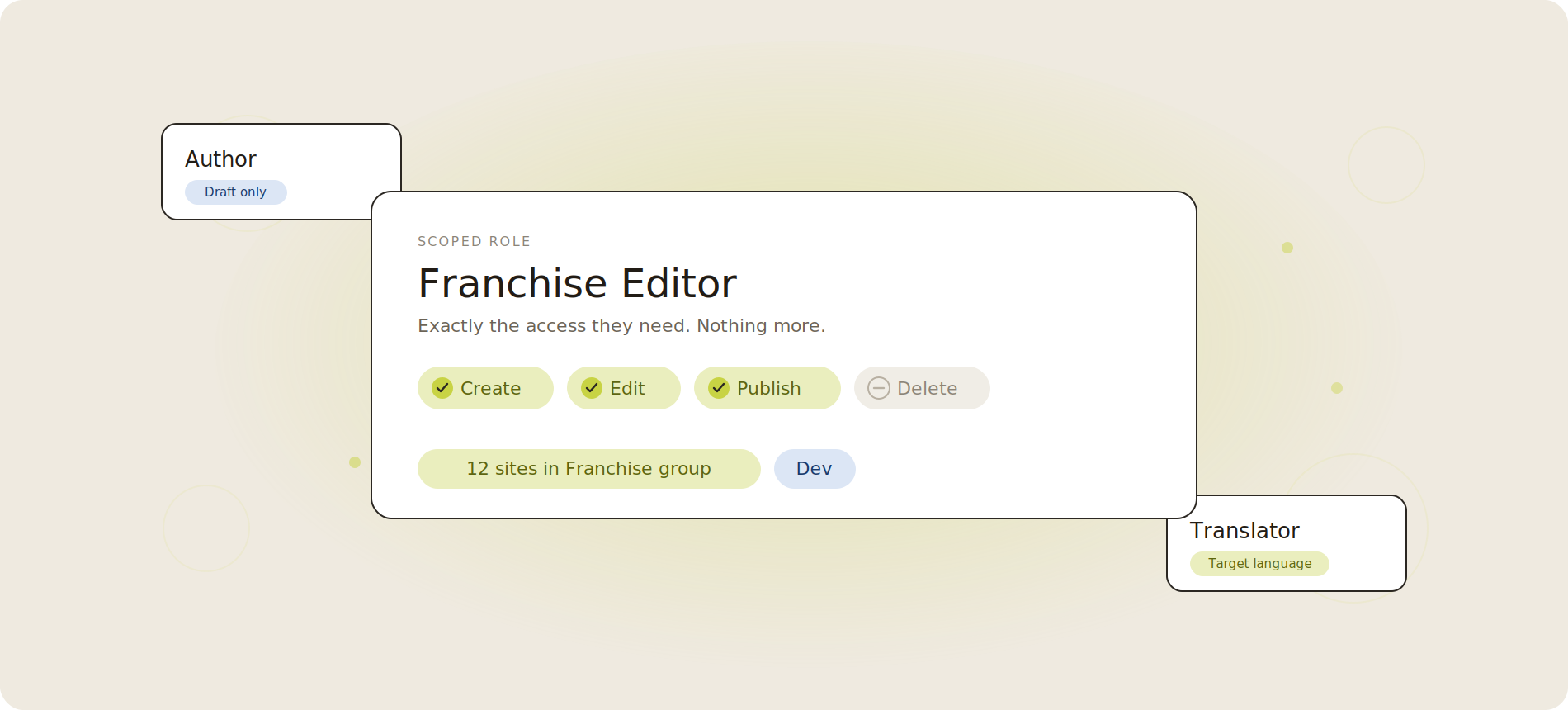
The everyday operator role. Makes changes and pushes them live across the properties you assign, and nowhere else.

Create Edit Publish Scoped sites
AUTHOR CREATE · EDIT · DRAFT ONLY

Creates and edits, but cannot publish.

Work goes live only once an editor approves it. Built for junior team members and local contributors who should propose changes, not ship them.

Create Edit Draft only Needs approval
DEVELOPER TEMPLATES · COMPONENTS · INTEGRATIONS

Builds how the site works, not what it sells.

Templates, components, and integrations. Full access to the build layer, with no access to commerce or customer data.

Templates Components Integrations No commerce
TRANSLATOR TARGET LANGUAGE ONLY

Edits the target language, never the source.

Keeps localisation moving without any risk to the master content. A translator works only in the languages you assign.

Target language Localisation Source protected
CUSTOM YOUR ACTIONS · YOUR SCOPE

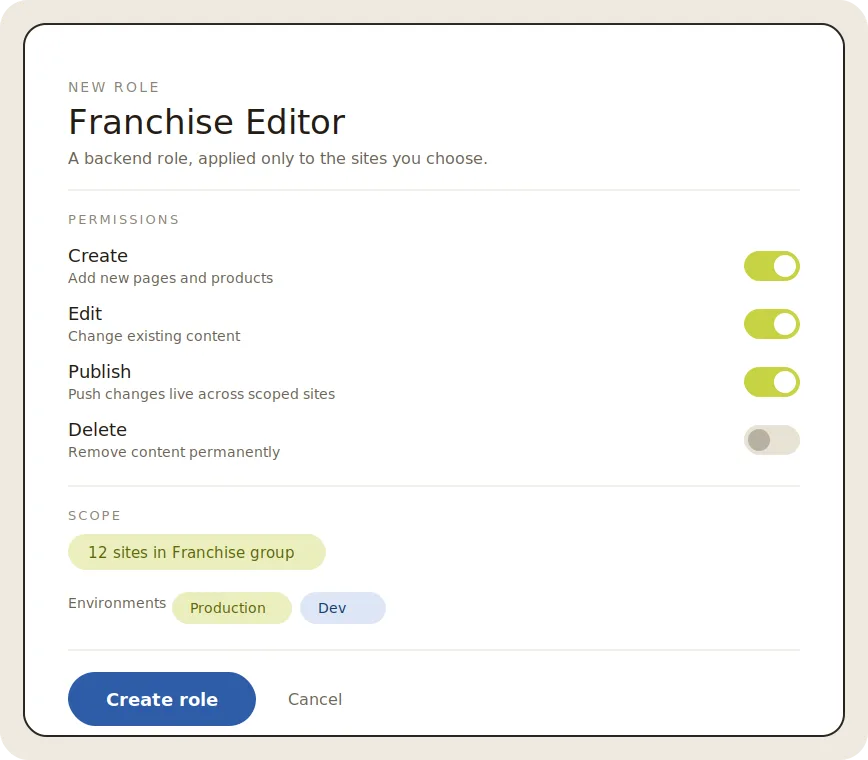
Pick the actions and the scope. Save it as a role.

When none of the presets fit, build your own: choose exactly what the role can do and where, save it, and reuse it across people.

Custom actions Custom scope Reusable

Then scope each role to exactly what it should touch.

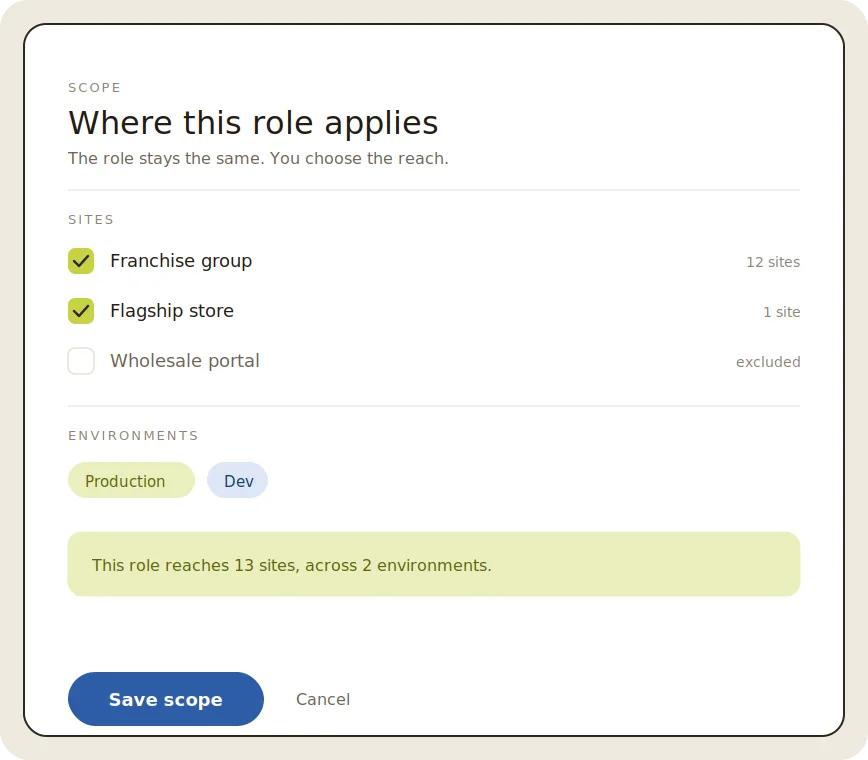
The same role can reach a single page, a section, a whole site, or your entire portfolio. This is how head office keeps brand and pricing control while every location runs its own content. One role definition; the reach is yours to decide.

  • One page, a group of pages, one site, or everything.
  • Read-only in production, full edit in a dev sandbox.
  • HQ holds the portfolio. Each location holds its own site.
Sites and environments
Image
Image

Bring in agencies and contractors. Sandboxed.

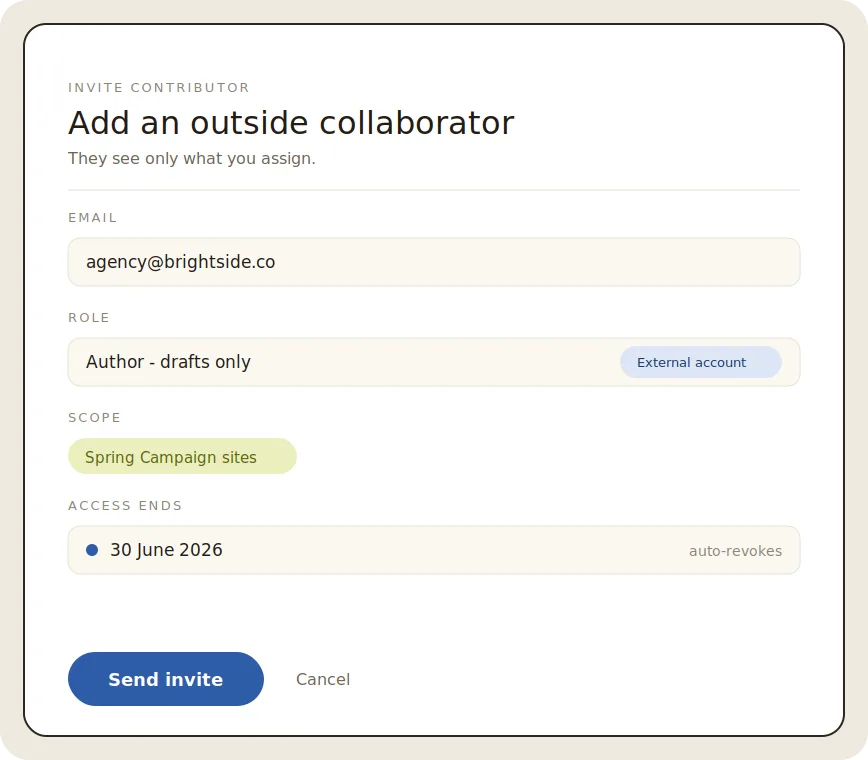
Outside people get their own account type, a scoped role, and an end date. They see only the sites and tasks you assign, edit only their own work, and lose access the moment the engagement ends. No shared logins, no cleaning it up later.

  • A separate account class for external users.
  • Scope them to one campaign, one brand, or one site.
  • Time-box access, and revoke in one click.
Franchise networks
Enterprise and security the governance a security team expects

Enterprise control, without the enterprise overhead

The governance a security team expects, run by a team that doesn't include a security specialist.

01 Single sign-on

Sign in with the identity you already use

Connect your existing identity provider, so access here follows the same joiner-mover-leaver process as the rest of your stack. One set of credentials, one place to switch them off.

02 Provisioning

Add and remove people from your directory

When someone joins or leaves your directory, their access here follows automatically. No orphaned accounts, no manual cleanup.

03 Audit & history

A full record of every change, with rollback

Every page keeps a complete version history with who changed what and when, and one-click rollback to any earlier version.

04 Data & compliance

Your security and procurement teams can sign off

SOC 2, ISO 27001, and GDPR compliant, hosted securely. The boxes procurement needs ticked, ticked.

Image

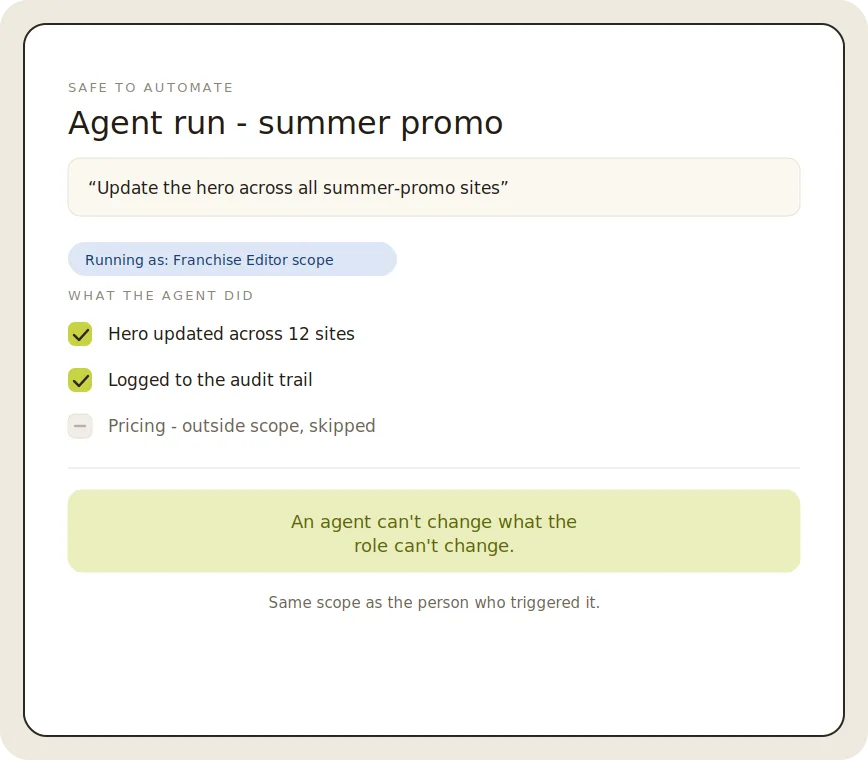
An agent can't change what the role can't change.

When you run a change across every property from a single prompt, it runs inside the scope of the role that launched it. The same permissions that govern your people govern your agents. That is what makes one prompt across seventy sites safe to buy, not just fast.

  • Agents inherit the scope of the role that triggers them.
  • Every agent action lands in the same audit trail.
  • Nothing ships outside the boundaries you set.
Agentic operations
Control

How control holds as you scale.

New accounts start with no access. You grant only what is needed - the security default of deny first, allow on purpose.

Access set on a section flows to the pages inside it, unless you override it.

Changing content and making it live are different rights, held by different people.

Every change records who, what, where, and when.

Outside accounts carry an expiry and a tight scope.

Automated actions obey the exact permissions your people do.

How teams set this up

Most teams model their roles and scope them to their properties in the first week, then bring people in and turn on automation with the boundaries already in place.

STEP 1
Map your roles

Start from the presets, add a custom role where you need one.

STEP 2
Scope to your properties

Point each role at the sites, sections, or pages it owns.

STEP 3
Invite people and partners

Internal teams and outside contributors, each sandboxed to their scope.

STEP 4
Turn on agentic, with confidence

Automate across every property knowing each action stays inside the scope you set.

GET STARTED

Book a 20 min demo

See roles and scopes modelled to your org.